How do I become an editor? (Part 3)

The last person who works on the words in the manuscript is the proofreader. This is still part of the editing process, but the proofreader has little say about the manuscript itself. By the time the proofreader gets the manuscript, the designer and typesetter have done their jobs and created a PDF that will look like the final book.

The proofreader looks over the entire book visually, then reads every word, every sentence, every paragraph, and every piece of punctuation. Any corrections are marked on the PDF and sent back to the typesetter for correction.

If content editing is the 10,000-foot view, and if copyediting is the 1,000-foot view, then proofreading is the 10-foot view. At this point, the content edit has handled the big-picture issues and the copyedit has cleaned up all of the sentences. Now, as proofreader, you should be able to dig in and look closely for errors.

The proofreader’s job

The proofreader is not an editor or copyeditor. No one wants the proofreader’s input on the book’s content, or how well the sentences are written, or whether a character is flat or not. Truly, no one cares. That is not the proofreader’s job to give that kind of feedback.

While proofreaders are looking for errors only, it’s a far bigger job than just reading copy. The proofreader carefully goes over the entire visual look of a project—whether it’s the pages of a book or a magazine or a newspaper. Even if a manuscript looks perfect when turned in to typesetting, errors can occur in layout that don’t show up on a manuscript.

For example, if a random tab is embedded in the Word document—a tab that hasn’t resulted in actually moving the words to an odd location on the line (perhaps because the tab was close to a tab stop and therefore is there but not seen)—that tab will rear its ugly head on the typeset page by taking the words and spreading them far apart on a line. Only the proofreader will see this.

In the same way, sometimes Microsoft Word can bury random font sizes and, when typeset, suddenly the font size on a page will vary between paragraphs. I’ve proofed pages where I could clearly tell that one paragraph had a slightly larger font than the surrounding paragraphs. I had to mark it and ask the typesetter to double check the font size and fix it to be consistent.

If copy has to fit into a certain pre-designed space on a page (say a column in a magazine or newspaper, or a small page in a devotional book), run-over can occur, resulting in copy that just appears to be missing. A proofreader can go through and delete as needed to keep the piece intact but have it still fit. This is where having a proofreader who is a wordsmith can be very valuable. Generally, you don’t want to leave this to typesetters to do (and they don’t want to).

Proofreaders look over the pages to make sure the visual elements look right and are consistent. When I proofread a book, for example, I look at individual elements across all of the pages; that is, I don’t try to look for everything on every page at the same time. Sometimes there are too many things happening on the pages.

I have proofread several devotional books. In one series in particular, every page had a date, every month had its own color that was used for the running heads (those dates) and various parts of the copy. The first paragraph of each devotional used a drop cap (a larger capital letter, also in that’s month’s color). There were specific spacing and centering issues, and a box at the bottom held a few words of encouragement for the day.

The types of errors I found were color mistakes, too many words in a devotional resulting in the typeset page ending in the middle of a sentence (I had to go back to the original manuscript to find out what the rest of the devo said and then find a way to edit so that it would fit), some spacing issues at the ends of lines, hyphenation problems, and ellipses that broke over lines and needed to be pulled back together.

Proofreaders check the running heads—in the case of books, these are the lines across the tops of the pages. Usually on the verso (left-hand, even numbered) page, the book name appears; on the recto (right-hand, odd numbered) page is the chapter title. The proofreader checks that the chapter title running heads are indeed in the chapter with that name. I once was looking at Bible pages and the book of Deuteronomy still had the Genesis running head; another time I proofread a book where the running head on the verso page was missing a word out of the title.

Very few of the corrections will have to do with spelling or grammar errors if you had a good copyeditor; most will have to do with issues that arose in typesetting and would not be seen until proofreading those typeset pages.

The process of proofreading

When I proofread a book, I use a checklist (included below) to make sure that I remember to look at everything.

Overall look

It’s important to first do an overall look at the book, page by page. It’s impossible to try to do that while reading the pages. Better to go page by page and check visual elements first. For instance:

  • most books have justified right margins; scan each page that all paragraphs are consistent
  • if the chapter beginnings are all to start on a recto, or if they can start on either a recto or verso, that this is indeed happening
  • if the chapter start pages all begin in the same spot—that is, if they begin halfway down the page, that the spacing is the same on all of them
  • if the chapter title begins with a number or the number along with a title that the numbers are sequential and that the fonts are the same (I once proofed a book that had two chapter 8s and no chapter 9—it was just a typo)
  • that if the first paragraph of a chapter begins with a drop cap (a larger first letter dropped down into the paragraph) that every chapter begins with a drop cap
  • alignment along tops of bottoms of pages
  • running headers or footers are consistent
  • consistency across all pages and design elements

The actual reading

After all of this is completed, only then do I go back and read every word. Every word. From the title page, through the copyright page, through the Table of Contents, through the endnotes.

  • mark only true errors and inconsistencies
  • watch for widows and orphans (the single word or two sitting alone at the top or bottom of a page)
  • correct grammar, spelling, and punctuation
  • following the publisher style guide and editor style sheet
  • citations: footnotes or endnotes; bibliography entries

For illustration of some of the above points, check this post for when I was proofreading my book.

Becoming a proofreader

As with the copyediting job, proofreading can also be your entree into the editorial publishing world. Often these jobs are outsourced by publishers to freelancers. Much of the advice and resources for becoming a copyeditor apply to being a proofreader. You need to know grammar, punctuation, and spelling; you need to understand the style manuals, guides, and sheets; you need to practice. Here are a few more:

(1) Learn how to work with Adobe (you’ll need it on your computer so you can open the PDF files). A free version allows you to do what you need to do — see the PDF pages and highlight and note errors. With a free version, you can’t actually make the edits; you can only mark them — but seriously, leave the revisions to the typesetter who knows what she’s doing. A change you make could cause a page to reflow, creating other issues on subsequent pages. So stay in your lane and just mark the changes.

(2) Practice whenever you can — not just with reading words but also with noticing inconsistencies in visuals (fonts, colors, spacing, etc.). Offer to proofread others’ writing — blogs, resumes, cover letters, the church newsletter, anything. Just continue to hone your skills.

Here are a few online resources for practice:

(3) As noted with copyediting, don’t use AI tools like ChatGPT. Don’t ever put a PDF of someone’s work into such a program! It has to be done by you. If an experienced proofreader can come along behind you to help you see what you might have missed, that would be invaluable in your training.

(4) Hone your skills in attention to detail. Often I’ve been proofreading a manuscript and come across some inconsistency that jars me. For instance, something like a name, Billie. I’ll think to myself, “Didn’t I see it spelled as Billy somewhere else?” A quick search for Billy will show me if that’s the case; the number of instances of one or the other gives me a sense of what the author really wanted to do. And I would make a note that the name needs consistent spelling.

(5) While most proofreading is done on PDFs, once in a while you may have to proofread on actual paper. This is where you’ll need to learn proofreader marks. I’ve placed a sheet here that you can download to learn some of the most used markings.

As noted with Part 2, Copyediting, proofreading can also be an entree into the publishing world.

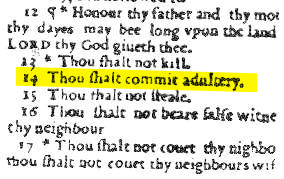
And as a final note, whatever monk was proofing what became known as The Wicked Bible, missed the word “not”:

Courtesy Wicked Bible, Wikipedia

We proofreaders often save people a whole lot of confusion and consternation. And sometimes morality!

How do I become an editor? (Part 2)

Following along from Part 1 of this little series about becoming an editor, today we’ll talk about the copyediting process.

I tell my students that this (or proofreading) will be the entry level job in a publishing house. To break in, they will look for jobs as copyeditors or sometimes they’re labeled as editorial assistants.

In a publishing house, after the content editor, in consultation with the author, finalizes the manuscript and considers it solid at the big-picture level, the manuscript will move on to a copyeditor.

The copyeditor reads at a more micro level. The macro work has been completed, so the copyeditor focuses on every paragraph, every sentence, every word, every bit of punctuation. She reads closely for sentence construction—looking for dangling or misplaced modifiers, run-ons, lack of parallelism, correct subject and verb forms. He fact checks and queries if something doesn’t make sense. She marks if a transition is needed. He checks spelling, grammar, and punctuation and works to be correct without changing the author’s voice or stylistic choices. (Yes, sentence fragments are often just fine.)

In addition, the copyeditor makes sure that the the manuscript follows house style guidelines. For instance, some Christian publishing houses may have a style that uppercases deity pronouns (He, His, Him, etc.). The copyeditor will make sure all pronouns for God, Jesus, and the Holy Spirit are capitalized. However, if an author doesn’t want it that way (or if everything were vice versa), the copyeditor notes that on the style sheet. On that sheet goes anything specific to a manuscript that the copyeditor doesn’t want proofreaders to change when they do their pass.

The copyeditor makes the manuscript readable.

But wait, there’s more! The copyeditor also makes sure the front matter (title page, copyright page, table of contents, dedication page, etc.) and back matter (appendix, index, endnotes) are in place. He might often be charged with writing the back cover copy for the book.

Besides understanding the role and where you would fit into the publication process, what else do you need to know to be a copyeditor?

Grammar, punctuation, spelling

You need to absolutely know the basics, but beyond that, you must be willing to get into the weeds to really understand where commas should go, how to use semi-colons, nuking passive voice (when necessary), or how to render footnotes and bibliography entries.

Here are a few resources:

  • The students in my editing class use The Copyeditor’s Handbook (currently in its 4th edition) and the accompanying The Copyeditor’s Workbook (also currently in 4th edition). Working through these books will provide a solid foundation for you to know more than you ever wanted to know about grammar and punctuation. But to be an excellent copyeditor, you need these skills. I highly recommend these books for your personal study and reference if you want to be a copyeditor.
  • For fun and to test your skills, take advantage of several weblinks that offer grammar quizzes. See what you know; test what you still need to learn or improve. Try: Punctuation Practice Test; Free Grammar Quizzes (you can pay for more access, but try all the free stuff first); Purdue Online Writing Lab (OWL). Work your way through all of these. Find out your weak spots and then study up!
  • Work on your spelling and know the correct word. You do know the difference between disinterested and uninterested? Affect and effect? Venomous and poisonous? Save this link on your computer, Easily Confused Words, to check on words where you’re just not clear. Study them, learn them. When a word gives you pause, look it up! Your dictionary is still your best friend.
https://www.writeforharlequin.com/inside-harlequin-copy-editing-with-taryn-ortolan/

Style manuals, guides, sheets

You’ll need to know how to use style manuals; these industry “bibles” provide the standards for correct usage of anything from how to write people’s titles or addresses, to how to render times of day, to how to write centuries, to the order the front and back matter pieces. Study these books and always have them on hand as references when you come across something you need to know how to do correctly.

  • If you want to get into book editing, you should have a copy of The Chicago Manual of Style (currently in its 18th edition) or a membership to its website. This is the standard guidance for all of book publishing.
  • For magazine and news editing, which use AP style, you’ll want a copy of The Associated Press Stylebook (currently in its 57th edition).

Style guides are specific to every publisher, every organization. They should have standardized spellings and usages for words or other notations specific to the industry. For example, each Christian publisher may have a different way to write Bible book abbreviations and references, or different spellings for names of people or places (is it Ishbosheth, Ish-bosheth, or Ish Bosheth — actually all three are correct depending on the publisher).

If you’re working for a particular company as an employee or freelancer, get their style guide. The guide supersedes the style manuals (noted above), so you always go to the guide first.

As you work on a particular project, you may create a style sheet that will go with that project, noting any choices made by you or the author that differ from the style guide or style manual. For instance, I once proofread a book in which the author wanted the word Heaven capitalized. In most style guides, that word is lowercased, but because the author wanted it that way, that word went on the style sheet. That way, when the book went to the proofreader, he wouldn’t lowercase the word as incorrect.

Microsoft Word

Chances are you’re working in Microsoft Word, which is the industry standard for manuscript submissions. As a copyeditor, you can make use of the Editor tool (on the Home ribbon) that can do a quick check of spelling, grammar, punctuation, and other writerly issues. I would only use this as a preliminary pass, however, as it isn’t perfect.

  • Learn how to do track changes. (And learn how to hide track changes while you’re working. That can help you avoid introducing errors while you copyedit.)
  • Learn how to accept and reject changes.
  • Learn how to do commenting. This is so important in explaining a change you’re making or querying when needed.
  • My YouTube channel has several videos that can help you with other tasks, such a inserting a title page, adding a Table of Contents, or doing basic cleanup tasks before you begin copyediting.
  • One video explains how to use templates and style tags. You may or may not need to do this for a publisher, but if it comes up, this video can help.

And note, never put what you’re working on into ChatGPT for a proofread or grammar check. You’re basically giving away that writing when you do so — someone’s creative work, a professor’s research, or company internal information. Steer clear!

Practice

Practice copyediting every chance you get. Offer to read the church newsletter or the worship song slides (!!). Anytime anyone has written anything, it needs another set of eyes. Let those eyes be yours.

Consider certifications

You might consider enhanced training and professional certifications through organizations such as ACES: The Society for Editing, EFA (Editorial Freelancers Association), or CIEP (Chartered Institute of Editing & Proofreading, based in the UK), or other courses at local colleges or writers conferences. You will always learn something new.

After all, we editors are saving the world by fixing one typo at a time!

How do I become an editor? (Part 1)

I’ve had several students take my Editing class and end up saying that it was that class that helped them discover what they wanted to do for a living. They’d been casting around, trying to be writers, and realizing that their love for words did not necessarily translate into becoming the next great American novelist. But give them a fresh manuscript to respond to, to make suggested changes on? They were off and running. They discovered that their love for words—both as readers and as writers—helped them be able to consider a manuscript, see the places where it fell short, and make suggestions. They wanted to become editors.

In my Editing class, we cover all stages of editing. I explain to my students that they probably won’t naturally enjoy all three of them—content editing, copyediting, proofreading—instead, they’ll probably take to one over the others. Inevitably, by the end of the class, some have discovered that they love the big-picture editing; others really liked the grammar portion of the class and wanted to copyedit because they can get in and mess with the sentences; others particularly enjoyed the proofreading we did on PDFs because they loved looking for errors.

It’s natural to gravitate to a particular form of editing. However, if you truly want to try to do this as a potential career, your starting point is going to be in the area of copyediting (more on that in upcoming posts). Rarely do content editing jobs open up without requiring several years of experience. However, that doesn’t mean, if this part really does come naturally to you, that you can’t do this as a freelancer.

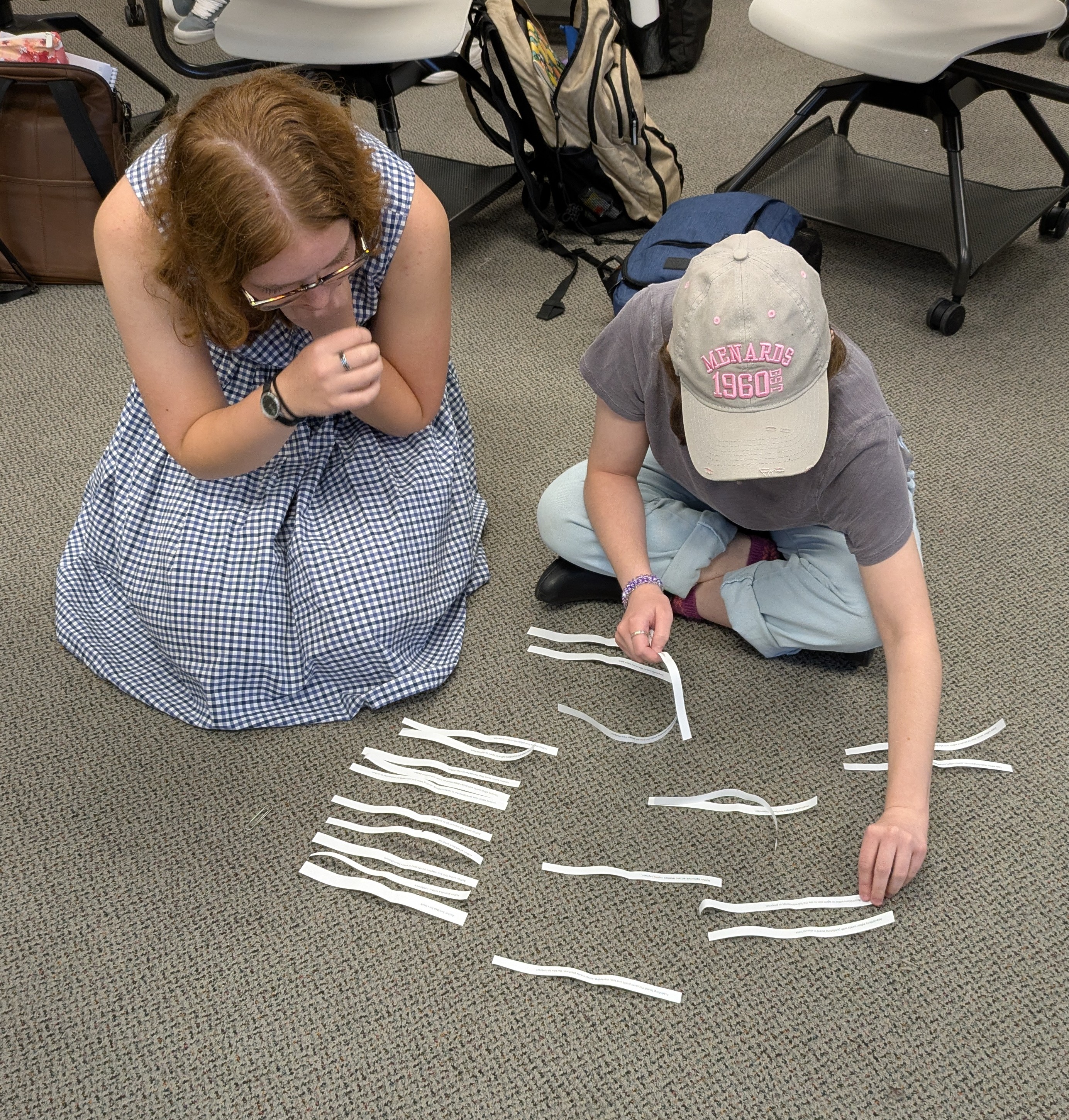
Learning the phases of the book editing process and putting them in the correct order.

Of course, some students realize that they don’t like any of it and just want to stay on the other side of the table as writers. That’s fine. I tell them that at least the class gave them an understanding of what editors do so that, if and when they get a book contract, they’ll understand how their editor is trying to help them.

So whether you’re thinking of hanging out a shingle and doing freelance editing, or if you’re looking for a job at a publication of some kind (whether books, newspapers, or magazines), over the next few posts, I want to share with you key things to do to help you become an editor.

Content editing: the big picture

Let’s talk about the first pass on a manuscript: content editing. This has other names — sometimes developmental editing (which goes back a couple of steps and helps an author actually put together the book) or line editing. In any case, content editing is big picture editing.

For fiction: You’re reading for plot, setting characterization, rising action-climax-falling action (Freytag’s triangle), pacing, and theme. Do you want to keep reading? Is the story compelling?

For nonfiction: You’re reading to make sure the topic is covered well, that the book flows logically, that it’s written well for the target audience, that sources are noted and correct, and other things depending on the manuscript. If you’re working on a memoir, many of the factors you watch for in fiction also come into play.

Genres matter

Just as you may find yourself drawn to different types of editing, you will also find yourself drawn to different genres when it comes to what you like to edit. And you can gain expertise in those genres and focus your editing there.

For example, in nonfiction, content editing a memoir will be different from content editing a self-help book; in fiction, content editing a romance novel will be different from content editing a fantasy or sci-fi novel. Not that you can’t cross genres, but you’ll find a comfort zone and will be able to do your best work once you find it.

When content editing, it helps for you to understand how the genre works. If you love fantasy writing and understand it and hope to edit it, then continue to read lots of fantasy. Read your favorite fantasy authors, read blogs by fantasy writers, read the best of the best. And then, for good measure, read a few bad books as well so you can discern what is making the difference. When you’re marinating in a genre, content editing that fantasy manuscript will be easier because you’ll more easily see what’s missing and what will improve it. You’ll recognize the overused tropes and you’ll get a sense of what draws you as the reader into the story.

Of course, that doesn’t mean you should read only fantasy. Read widely. Read the classics. Read outside your favorite genre. Read nonfiction books about writing and editing. The more that you learn about the process for both writers and editors, the better content editor you’ll be.

Stay in your lane

When doing this pass, you don’t worry about grammar or spelling or sentence structure—instead, you’re reading to see how the whole book hangs together. Your mind can’t process the big picture elements if you’re also trying to correct grammar and punctuation along the way. Besides, you may end up having the author cut or revise whole sections of the book, making it a waste of time to copyedit the detail. Leave that for the copyeditor who comes next in the process after the manuscript has been finalized by the author and content editor.

Follow along in coming weeks for more on becoming an editor, focusing on the copyediting role.

Unlocking SEO: How Keyword Titles Boost Video Views

I honestly never thought much about SEO (search engine optimization) until one of my students. Grant, decided to take on that topic as his final senior project in our Professional Writing major. He had found the topic interesting during our Social Media Strategy class and decided he wanted to learn more.

He researched deep into the weeds of the topic, wrote his paper, and did a final presentation that allowed him to consolidate the research and give the basics of search engine optimization in a presentation that was understandable to those of us who knew nothing. After graduation, Grant got a job with Visit Indiana, the tourism arm of the State of Indiana — now working as webmaster for their website with its tens of thousands of pages. When it comes to SEO, he knows his stuff.

Search engine optimization basically optimizes your search on the search engines … which means that we want to write our titles and posts and internet copy using key words that searchers are going to put into the search bars. When we do so, there is more chance of the algorithm finding our material and bringing it higher on the results. (That’s a way-too-simplified version and it’s beyond my comprehension, but I do understand working with words to match search words.)

Every semester, Grant graciously returns to my classroom to present that basic introduction to SEO to my students. Many of them have no idea what it is or how to use it.

And, if I’m honest, neither did I.

I had started a YouTube channel a few years ago with nothing more than a few screenshotted videos of me showing writers how to do various tasks in Microsoft Word (creating a title page, creating a Table of Contents, etc.). I recorded one of them because a former employer asked me to show how to do style tagging so they could send the video to clients. I created others to go along with my Pathway to Publication book as part of the manuscript formatting chapter. My little YouTube channel sat fairly quiet, with a few folks clicking on and viewing my videos.

As Grant taught about SEO, he explained the power of using key words in titles and descriptions, thinking of what a searcher on Google is going to ask. He suggested that we plug in some questions, and then scroll down to the “People also ask” section to get an idea of those googled questions, the “How do I …?” questions. I went back and changed the titles and descriptions to my eight videos (I know, I said it was a small channel) to questions or statements someone would actually put into Google.

For instance, “Title pages” became “Creating a title page in Microsoft Word,” and in the description of the video is the question, “How do I add a title page to my manuscript?”

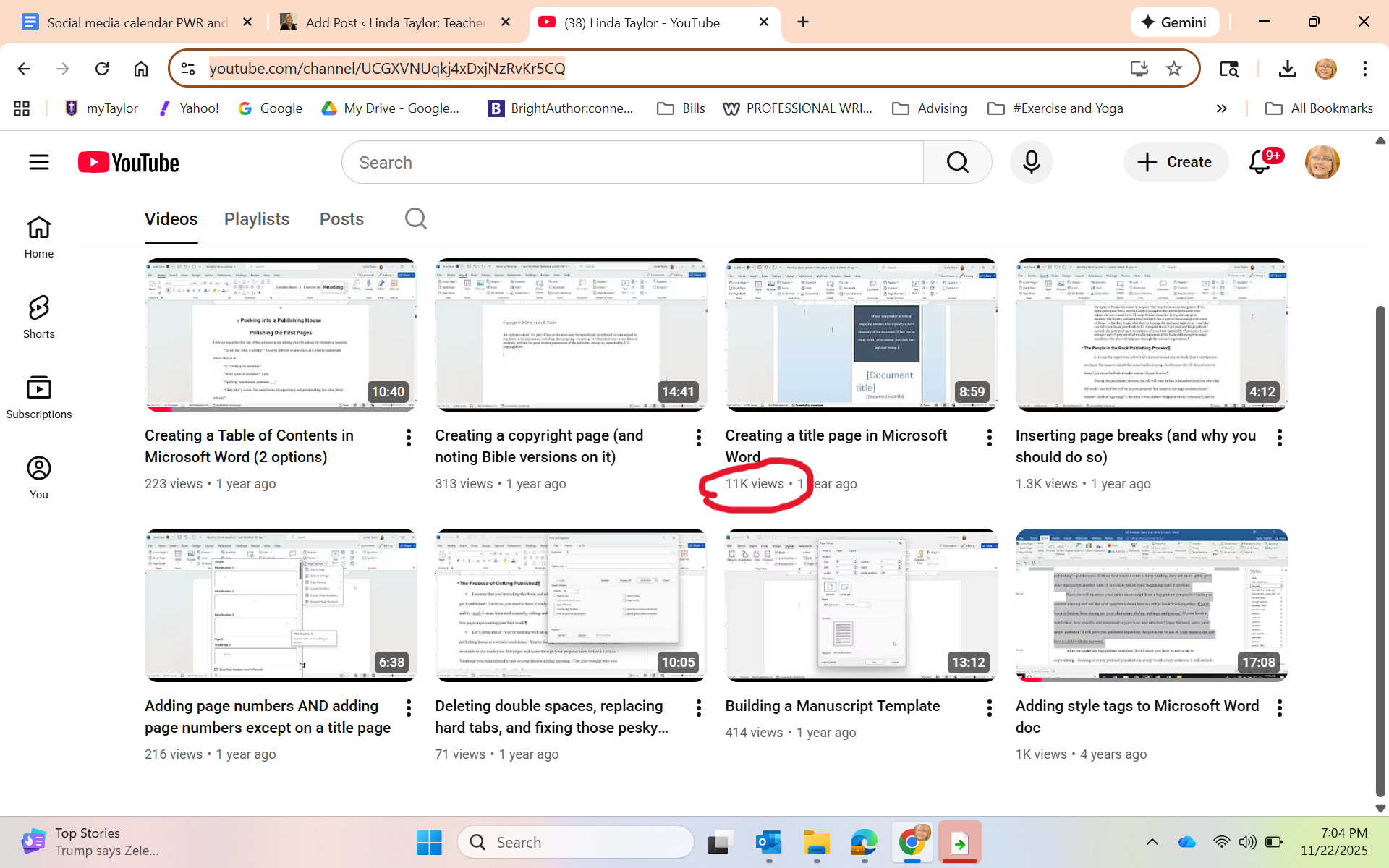
A few months passed without me checking in. Last week, I opened the YouTube page to show it to the students in my Editing class to let them know some of the things we talked about in class are in video form there. One student piped up: “Wow, you have 11,000 views on that one video.”

Whaaaaat?

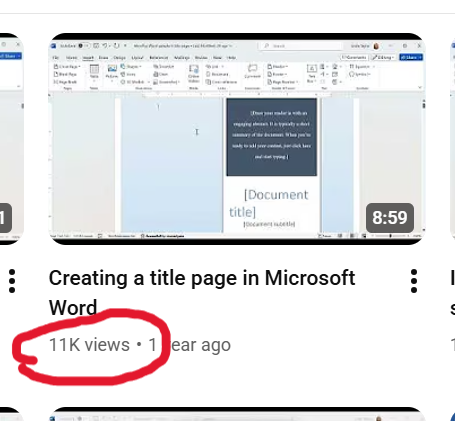
Just in case you can’t see it:

I honestly didn’t think it was real. I sent the screenshot to Grant, thanking him profusely and asking him also if this could even be real. He checked it for me, and then sent me this screenshot, showing that my video appears as the first video option when he googled “how to create a title page in Microsoft Word.”

“You should be proud of yourself,” he kindly said.

I don’t think I’d say that. I just find it exciting to see that yes, indeed, SEO thinking works. AND that so many folks happened upon my little video and, hopefully, made killer title pages!

I’m basically an influencer now …

Great editors: Starling Lawrence

I was asked recently about what God has taught me through my writing career. While I do admit to enjoying writing, really most of my learning has been through my editing career. In both cases, however, the key lesson has been humility.

On the one hand, writers need humility to handle the (often many) edits of our work, and (often) outright rejection. Editors also require humility because we labor in the background. We don’t get credit for the work; that remains with the author, as it should. But those books became what they did because of the hard work of the editor with the author. That’s why I’ve enjoyed celebrating unsung editorial heroes on this blog; folks such as Maxwell Perkins, Faith Sale, and Tay Hohoff, among others.

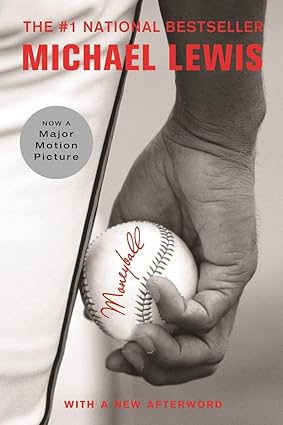
This past month, we lost yet another legendary editor, Starling Lawrence, who had a 55-year editorial career at W. W. Norton. I have to admit, of course, I’d never heard of him, but I’ve certainly heard of books he edited, including The Perfect Storm by Sebastian Junger, and Moneyball and The Blind Side by Michael Lewis (all three of which were books before they became movies).

When he started at Norton in 1969, Lawrence had the unenviable job of “reader,” sifting through the “slush pile,” the name for the pile of unsolicited manuscripts that came into the offices and were dropped somewhere for someone to eventually take the time to read. He said that this job taught him “an important lesson about patience and paying attention to the job, no matter what it is.” Publisher’s Weekly noted that, “As he panned for gold among the submissions, he trained ‘a voice that has endless patience for what does interest him,’ as Lewis put it.”

The W.W. Norton website wrote this tribute: “During his more than five decades at Norton, Lawrence had an unmatched impact on the trade list, shaping its character with culturally important books that sold millions of copies. Lawrence discovered future bestsellers in unlikely places: the slush pile of unsolicited manuscripts, the dusty top shelf of an agent’s bookcase, and in proposals rejected by the rest of the industry. As he once noted, ‘It is remarkable in hindsight that for two of the most important books I ever acquired, Sebastian Junger’s The Perfect Storm and Michael Lewis’s Liar’s Poker, there were no other offers on the table.’”

With the latter author, Michael Lewis, Lawrence built a strong relationship that led to 17 books, including the above-mentioned Moneyball and The Blind Side. Lewis wrote of Lawrence, “When I sit down to write, the only voice I hear in my head is Star’s” (W.W. Norton website).

That’s a powerful editor/author relationship!

Across his five decades at Norton, Lawrence championed and edited “scores of era-defining books” (ShelfAwareness). “‘It is impossible to overstate the effect Star Lawrence has had on Norton,’ said Julia Reidhead, chairman and president. ‘His taste was as confident and true as his spirit, and he transformed our list with some of the greatest writers of our time'” (W.W. Norton website).

That’s an amazing legacy. While he did write a few of his own books, he spent most of his career in the shadows, behind the scenes, relegated to the Acknowledgments page (if at all) of the many books for which he as the best reader, the shaper, the author encourager.

That’s what I’m teaching my students in Editing class right now. If they want this career, it will be extremely rewarding but will not bring them fame or fortune. They must do it for the love of the words and the love of good stories.

4 reasons to attend the Taylor University Professional Writers Conference

One of the hats I wear is coordinator of the annual Taylor University Professional Writers Conference, held every summer on the university’s beautiful campus. And I am inviting you.

Just a little over 10 years ago, we started this conference, wondering, “If we build it, will they come?” Well, came they did, and we’ve been running a successful conference ever since. The conference is a natural outgrowth of the Taylor University Professional Writing major, where students are trained, among other things, to navigate the world of publishing. Meeting and networking (and sometimes interning) with agents, authors, editors, and social media experts from across the Christian publishing industry is just one of the many plusses of our program.

Here are 4 reasons you should attend our 2025 conference:

1. It’s short and inexpensive.

Our General Conference runs a day and a half and is packed with sessions and fun. It runs from Friday, July 25 at 1:00 to Saturday, July 26 at 5:00. During that time are options of 32 different sessions, 3 keynotes, open mic readings, faculty book signing, and one-on-one appointments.

And all of that (including meals) for just $139. You’ll get Friday dinner, and Saturday breakfast and lunch, and all of the activities above. If you’d like to stay overnight on campus, you can for an extra fee of $70/night.

2. Add a day for some extra, advanced training.

For $139, including meals, you can opt to come to one of our pre-conference tracks. Beginning at 1:00 on Thursday, July 24 and ending with lunch on Friday, July 25. This is an opportunity to go deeper with a particular topic. You can choose from the following two options.

Option A: Deep POV / Prepping Your Proposal

In this Advanced Track, you’ll be privileged to learn from literary agent, Linda Glaz, who had been acquiring manuscripts, editing them, and coaching writers for 13 years. You’ll learn on Thursday about deep POV, the kind of writing that will deepen the experience of the reader and allow him/her to stay in the characters’ points of view. Then, on Friday, you’ll do a deep dive into how to write a solid book proposal–one of your first steps for the gatekeepers in the publishing work.

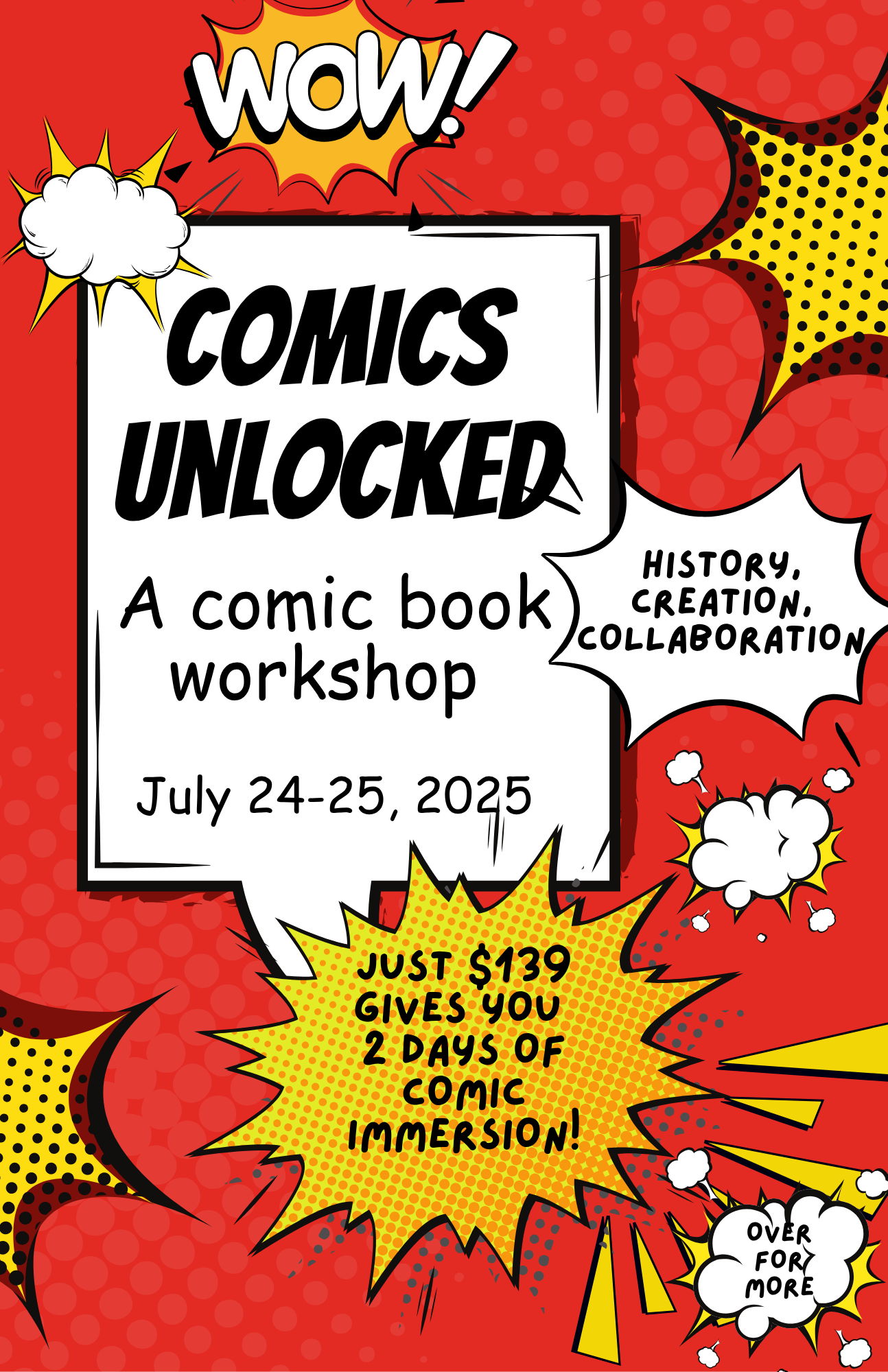
Option B: Comics Unlocked

​Your teachers (two Taylor U students) have been interested in comic books for their entire lives and are excited to share their knowledge with you. In their Comics Unlocked sessions, you’ll learn the history of comics, the craft of comic book creation (including formatting, script writing, pacing, and page layout), the artist/writer collaboration process, and possible paths to publication. You’ll also have the opportunity to work on your own comic book pitch and plan.

3. Do both a pre-conference track and the general conference for a reduced price.

If you choose one of the pre-conference tracks AND the general conference, you get both for $249. You’ll move seamlessly from having lunch on Friday after your pre-conference session to the general conference that begins at 1:00 p.m.

Some snapshots from our 2024 conference.

4. We’re great for all ages, types, and levels of writers.

Never been to a conference before? We’re ready to help you navigate with our friendly faculty and helpful staff (who just happen to be Taylor U Professional Writing students).

Just getting your feet wet in the writing world? We’re great for beginning writers to learn about what it takes and how to get started when it comes to being a writer.

Think you’re too old to start writing? You’re never too old. Lots of Bible characters have taught us that.

Think you’re too young? If you’re at least 16, we especially want to invite you to the conference. You’ll get to take part in all the sessions and networking, plus our college student staff will give you evening activities and a sense of what college life is all about.

Thinking you’re too advanced to need a conference? Maybe you’ve been around the industry a long time; maybe you’re a published author. Even so, there is never a time that you don’t need a refresher or some encouragement. And even better, you bring your expertise to those newer writers.

Check out the conference website at www.tupwc.com and register today!

A “Find Your Tribe” gathering of nonfiction writers at the 2024 conference.

Trying to meet the AI challenge: Part 2

As I noted in this post at the end of December, I was studying ways to teach my students how to use AI (artificial intelligence; in this case, specifically ChatGPT). However, “teaching them how to use” is a misnomer because I quickly discovered that students already are using it. And I was naive to think otherwise.

That discovery meant that my lesson preparation turned from presenting the opportunity of AI to instead focus on the ethical and practical uses of AI when writing. From a course like Essentials of Written Communication (business writing), students need to learn to be able to use AI well when they get into their internships or jobs. In fact, ability to use AI, write prompts, and yet understand AI’s limitations, will be a requirement by employers.

https://learn.aiacontracts.com/articles/

But first …. let’s understand what AI can and can’t do. I had the students read the article: “The Good, the Bad, and the Ugly of AI Writing.” Here’s a synopsis:

AI can be good and helpful because it can save time, thus making employees more productive, and it can help reduce human error. (For instance, even using a program like Grammarly or the Editor in Microsoft Word is using AI to help clean up writing.) I want my students to see that AI can be helpful with time-saving idea generation, editing, and yes, even some first draft preparation.

For my students, it will be important to learn how to write good prompts and create perhaps some initial ideas for drafts of documents they will need in their future jobs, help them with research, provide guidance when making sense of statistics, etc. Learning how to use AI well will be a timesaver, allowing them time to do other important aspects of their job.

But ..

AI can be bad for myriad reasons. It is only as creative as what is already “out there”; thus, it really has no creativity or originality. It only takes what others have done as everything appears online. (As a writer, this for me is the nonstarter. I refuse to let it do any writing for me. Indeed, I am writing this blog post all on my own!)

Students who use AI to write their papers end up with writing that (ahem) is often easy for teachers to spot. (Not always, but sometimes.) One of the key assignments my colleagues and I are doing is to have students write something in class at the beginning of a semester, which gives us a sense of their writing ability and style. That provides us with a benchmark to work from. And we check all quotes and sources to make sure they exist and are correct.

Students must never depend on AI to deliver a final product. It needs their human eyes and human voice. Thus, they need to know how to edit, what to look for, and how to take what AI gives them and polish it.

But …

AI can be ugly because it doesn’t have ethical standards. It’s happy to write pages of uninspired, generic material, make up quotes, make up sources, make up statistics, all while using everyone else’s ideas that exist in online world.

My students need to find the uses for AI that are helpful but not unethical, such as brainstorming, clarifying material that is difficult to understand, even help with foreign language learning. As a professor, I have had it create some games to make the point of a lesson, or give me some case studies to use, or even advise on how to simplify a concept for my students.

For instance, one assignment we did in class was to have each student write an email to a prospective student. We discussed audience, format, and structure of good emails. We put the characteristics of our target audience on the board.

I gave them a worksheet on which they did the following three activities — all three of which would be turned in. First, write an email in class, without any kind of AI help. Second, create a prompt and put it in ChatGPT, then copy and paste onto the worksheet both the prompt and the generated email. Third, create a final email starting with the original and incorporating anything from AI that seemed helpful (and highlight those things).

I was pleasantly surprised to discover that, in most cases, the first email written on their own was just fine, but they did at times incorporate another point or even a particular phrase that they liked from the AI-generated version. And I did ask them to run their final version through the Microsoft Editor (yes, still an AI) to help them clean up any grammatical or spelling errors.

I’m hoping from this lesson they learned that some helpful ways to use ChatGPT can be for them to write a first draft, get a bit of help from AI, and then adjust their final product if the program did indeed give them something useful. And then, of course, to let it help them make sure of their grammar and spelling.

In other words, it’s only supplemental, not the final say.

Stay tuned. I’m still learning and working …

Just write one . . .

Lunchtime was a big deal during my elementary school years. I recall spending much energy on exactly which lunchbox would provide my “ethos” for the upcoming year. After all, during every lunchtime, that lunchbox sat in front of me, open, back side available for all to see. Everyone at those long cafeteria tables would set up their boxes, pull out the thematically matched thermos and unscrew the cup and lid, take out the various foodstuffs, and spread it all out on the opened lid.

Yes. The lunchbox was ME. Who was I each year? Was I Holly Hobby? Peanuts? The simple butterfly design with flowers? Fairies?

The drama of the annual lunchbox choice still resides in my psyche.

So when I read Anne Lamott’s book Bird by Bird and her chapter about school lunches, I immediately resonated. As she describes, there’s so much going on when I consider my school lunches back in the mid-1960s. If I would try to write the scene, I might find myself overwhelmed. The lunchboxes, the long tables, the smell from the hot food line on pizza or taco day, the small square milk cartons, the cliques, the snack trading, the teachers walking around and monitoring, the noise and clatter before recess, the internal angst of walking across the cafeteria in a new outfit …

So much. Too much.

Lamott addresses this, giving advice to writers to not try to capture it all. Instead, to write the “one-inch picture frame.” To take a mental shot of the entire cafeteria scene, and then to Zoom in on one small piece of it — such as a lunchbox.

On her Instagram page beside a photo of a small picture frame, Lamott writes:

It sounds similar to Ernest Hemingway’s advice, in A Moveable Feast, to “write one true sentence”:

Sometimes when I was started on a new story and I could not get going, I would sit in front of the fire and squeeze the peel of the little oranges into the edge of the flame and watch the sputter of blue that they made. I would stand and look out over the roofs of Paris and think, “Do not worry. You have always written before and you will write now. All you have to do is write one true sentence. Write the truest sentence you know.”

One-inch frame . . . one true sentence.

The idea is to not get overwhelmed. To not give in to imposter syndrome. No matter how many chapters still to go, no matter how long the article, you can just write that one beautiful sentence. You can focus on that one small bit of the big picture, working word by word, sentence by sentence.

Eventually, yes, you’ll go back. You’ll edit. You’ll rearrange. You’ll cut. You’ll write more. But to get there, you need to start.

Break it down. Focus in. Take your time. A little bit every day.

One inch. One sentence.

My next teaching challenge: The AI effect

The chair of my department came into my office and said, “Linda, brush up on AI. You’re going to need to teach your students to use it.” He was referring to my Essentials of Written Communication class, a class where I teach the format and strategy of different types of writing that is important to both their lives on campus and beyond into the business realm.

And I must teach my students to effectively and ethically use AI platforms (such as Chat GPT) to truly prepare them for their future careers. The world is heading that direction and they need to be ready.

I have to admit, I’m a little worried. I’m a veteran of the 5-1/4-inch floppy disk era. Even before that, I navigated my way from typing class in high school (on typewriters) to computers with various floppy disk sizes and on through the many, many versions of Microsoft Word (remember when “Clippy” would give writing advice?).

Clippy, courtesy of Mental Floss

And then came email (woo hoo! Files could be attached and sent instantaneously) and the Internet. So far I’ve managed to move through these past 50 years of my writing career with a minimum of turmoil.

But I have to admit that the world of Artificial Intelligence is setting me back on my heels a little. While many of my colleagues have embraced and are using it well, I’m setting aside January to catch up. Here’s my reading material, Teaching with AI.

I have my concerns. As a writer, I’m honestly worried about my students deferring to AI and not understanding the creativity needed for every kind of writing — an email, a news release, a report. Having an AI just generate these annoys every part of me.

But I’ve been teaching long enough to know that writing doesn’t come easily to everyone. Even as I teach my students to use programs like Grammarly or Microsoft Word’s editing tools on their papers means I already have been teaching them to use AI.

So as I prepare for my spring Essentials of Written Communication class, I will be rewriting my curriculum to continue to teach the formatting and structure of various types of writing, while planning for students to use AI. I plan to create assignments for them to write and then edit with AI; I’ll be showing them how their human touch is still vital to anything they use AI to create; I’ll be talking about the ethical use of AI so they understand its creative limitations (and potential for plagiarism).

As the book says, “It is essential that educators start to talk about these issues with students. if we want students to use AI responsibly, both in school and beyond, AI ethics must be baked into curriculum and include AI literacy, an emerging essential skill” (3).

Do you use AI? How has it helped you? What concerns do you have about its use?

What kinds of jobs can a writer get?

OR How can I turn my writing into a career?

Helping my students turn their love for words and ability to write into a career is exactly what I’ve been trying to do with my life for the past 15 years.

I’m planning a class for spring 2025 that will be the introductory class to my Professional Writing major here at Taylor U. But I’ve set my sights a bit bigger as I also want to invite into the class any student who might be sitting around considering their major and thinking, “But I’m also a pretty good writer.” I want to offer a class where they can explore how their ability with words (which, believe me, isn’t something everyone has) can be leveraged into many types of jobs in their chosen fields.

Here’s the deal: Even though I teach the students who major in Professional Writing about the ins and outs of writing well and book publishing, I don’t leave them with the unrealistic dream that they’ll be able to make a living off the royalties from their published books (if, indeed, they get published). My students who have had their books published often still have day jobs — or have spouses who have day jobs. (I know you writers, laboring in the evenings or early mornings on your manuscripts in between bouts of “real life,” understand this.)

Gif from plaidswan.com

Most of my alumni are using their ability with words in many fields. I currently have former students in the following jobs:

  • Copy writer
  • Magazine editor
  • Book editor
  • Freelance editor
  • Digital content strategist
  • Communications director
  • Marketing director
  • SEO specialist
  • Publicist
  • Acquisitions editor
  • Literary agent
  • Author
  • Technical writer
  • Social media director
  • Proofreader
  • Email marketing manager
  • Blog writer
  • Web writer
  • Content writer

And no, AI is not going to replace all of these people. In fact, I plan to teach ways to use AI strategically to help us (and it can). However, we’re going to learn what we humans still need to know to help AI do its thing, as well as to help it deliver what’s needed.

Thus, as I create my syllabus for the coming semester, I hope to expose my students to the many opportunities available to anyone who can string words together in a coherent, concise, and clear manner. Good writers are desperately needed because content is desperately needed almost literally everywhere. Even writing a good email has become a lost art.

What jobs are you aware of that need good writers? Even if you’re a novelist by night or hammering away at your opus, where else do you use your writing skills?

Help me give my students some encouragement!