Unlocking SEO: How Keyword Titles Boost Video Views

I honestly never thought much about SEO (search engine optimization) until one of my students. Grant, decided to take on that topic as his final senior project in our Professional Writing major. He had found the topic interesting during our Social Media Strategy class and decided he wanted to learn more.

He researched deep into the weeds of the topic, wrote his paper, and did a final presentation that allowed him to consolidate the research and give the basics of search engine optimization in a presentation that was understandable to those of us who knew nothing. After graduation, Grant got a job with Visit Indiana, the tourism arm of the State of Indiana — now working as webmaster for their website with its tens of thousands of pages. When it comes to SEO, he knows his stuff.

Search engine optimization basically optimizes your search on the search engines … which means that we want to write our titles and posts and internet copy using key words that searchers are going to put into the search bars. When we do so, there is more chance of the algorithm finding our material and bringing it higher on the results. (That’s a way-too-simplified version and it’s beyond my comprehension, but I do understand working with words to match search words.)

Every semester, Grant graciously returns to my classroom to present that basic introduction to SEO to my students. Many of them have no idea what it is or how to use it.

And, if I’m honest, neither did I.

I had started a YouTube channel a few years ago with nothing more than a few screenshotted videos of me showing writers how to do various tasks in Microsoft Word (creating a title page, creating a Table of Contents, etc.). I recorded one of them because a former employer asked me to show how to do style tagging so they could send the video to clients. I created others to go along with my Pathway to Publication book as part of the manuscript formatting chapter. My little YouTube channel sat fairly quiet, with a few folks clicking on and viewing my videos.

As Grant taught about SEO, he explained the power of using key words in titles and descriptions, thinking of what a searcher on Google is going to ask. He suggested that we plug in some questions, and then scroll down to the “People also ask” section to get an idea of those googled questions, the “How do I …?” questions. I went back and changed the titles and descriptions to my eight videos (I know, I said it was a small channel) to questions or statements someone would actually put into Google.

For instance, “Title pages” became “Creating a title page in Microsoft Word,” and in the description of the video is the question, “How do I add a title page to my manuscript?”

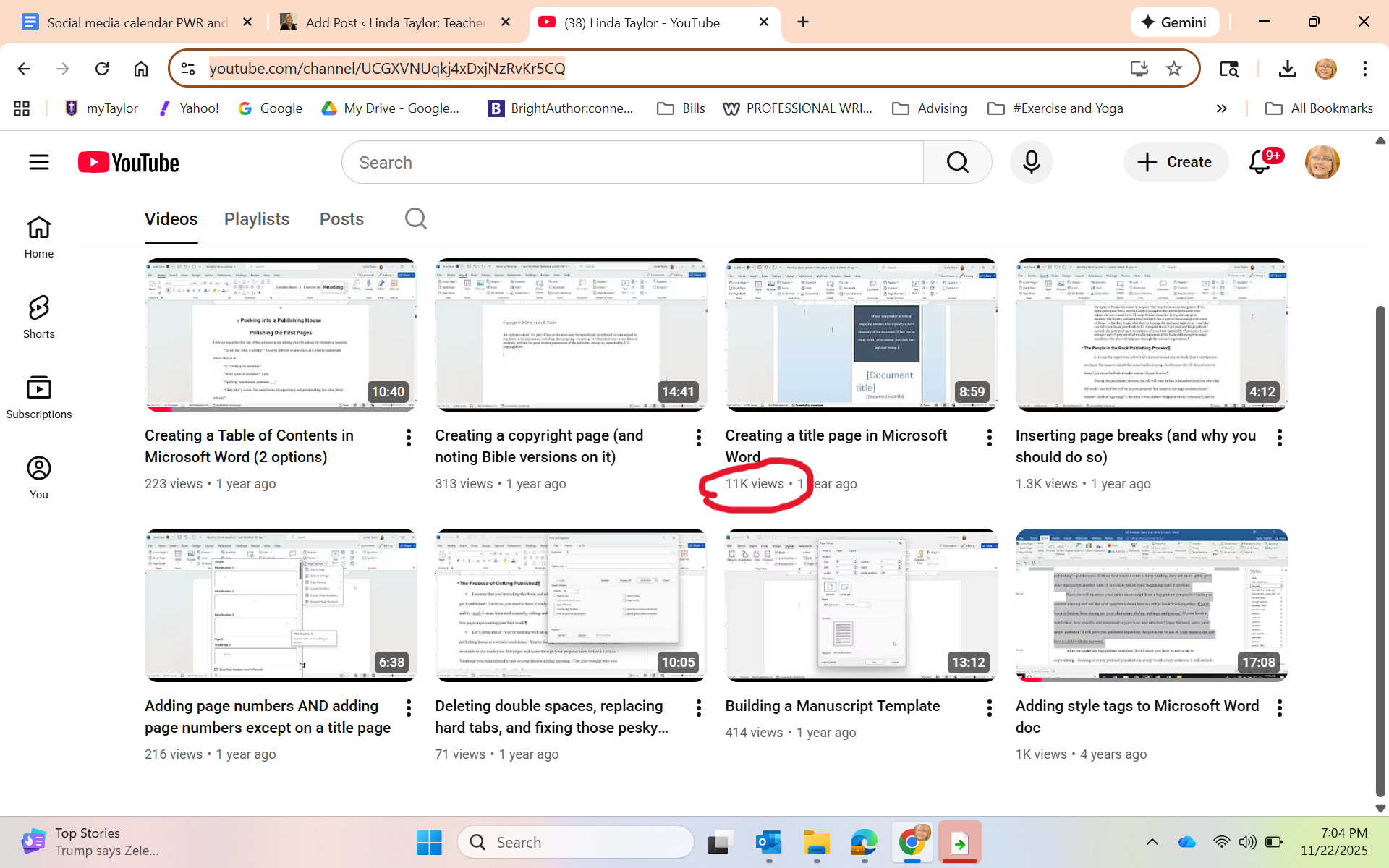
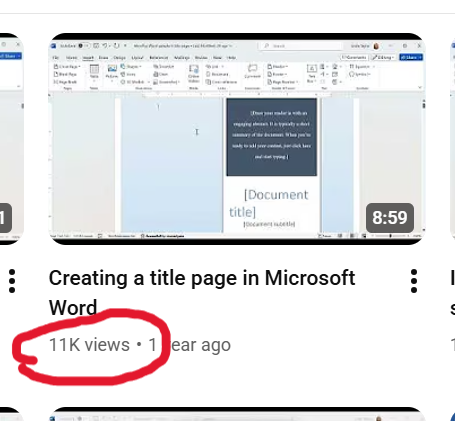
A few months passed without me checking in. Last week, I opened the YouTube page to show it to the students in my Editing class to let them know some of the things we talked about in class are in video form there. One student piped up: “Wow, you have 11,000 views on that one video.”

Whaaaaat?

Just in case you can’t see it:

I honestly didn’t think it was real. I sent the screenshot to Grant, thanking him profusely and asking him also if this could even be real. He checked it for me, and then sent me this screenshot, showing that my video appears as the first video option when he googled “how to create a title page in Microsoft Word.”

“You should be proud of yourself,” he kindly said.

I don’t think I’d say that. I just find it exciting to see that yes, indeed, SEO thinking works. AND that so many folks happened upon my little video and, hopefully, made killer title pages!

I’m basically an influencer now …

4 reasons to attend the Taylor University Professional Writers Conference

One of the hats I wear is coordinator of the annual Taylor University Professional Writers Conference, held every summer on the university’s beautiful campus. And I am inviting you.

Just a little over 10 years ago, we started this conference, wondering, “If we build it, will they come?” Well, came they did, and we’ve been running a successful conference ever since. The conference is a natural outgrowth of the Taylor University Professional Writing major, where students are trained, among other things, to navigate the world of publishing. Meeting and networking (and sometimes interning) with agents, authors, editors, and social media experts from across the Christian publishing industry is just one of the many plusses of our program.

Here are 4 reasons you should attend our 2025 conference:

1. It’s short and inexpensive.

Our General Conference runs a day and a half and is packed with sessions and fun. It runs from Friday, July 25 at 1:00 to Saturday, July 26 at 5:00. During that time are options of 32 different sessions, 3 keynotes, open mic readings, faculty book signing, and one-on-one appointments.

And all of that (including meals) for just $139. You’ll get Friday dinner, and Saturday breakfast and lunch, and all of the activities above. If you’d like to stay overnight on campus, you can for an extra fee of $70/night.

2. Add a day for some extra, advanced training.

For $139, including meals, you can opt to come to one of our pre-conference tracks. Beginning at 1:00 on Thursday, July 24 and ending with lunch on Friday, July 25. This is an opportunity to go deeper with a particular topic. You can choose from the following two options.

Option A: Deep POV / Prepping Your Proposal

In this Advanced Track, you’ll be privileged to learn from literary agent, Linda Glaz, who had been acquiring manuscripts, editing them, and coaching writers for 13 years. You’ll learn on Thursday about deep POV, the kind of writing that will deepen the experience of the reader and allow him/her to stay in the characters’ points of view. Then, on Friday, you’ll do a deep dive into how to write a solid book proposal–one of your first steps for the gatekeepers in the publishing work.

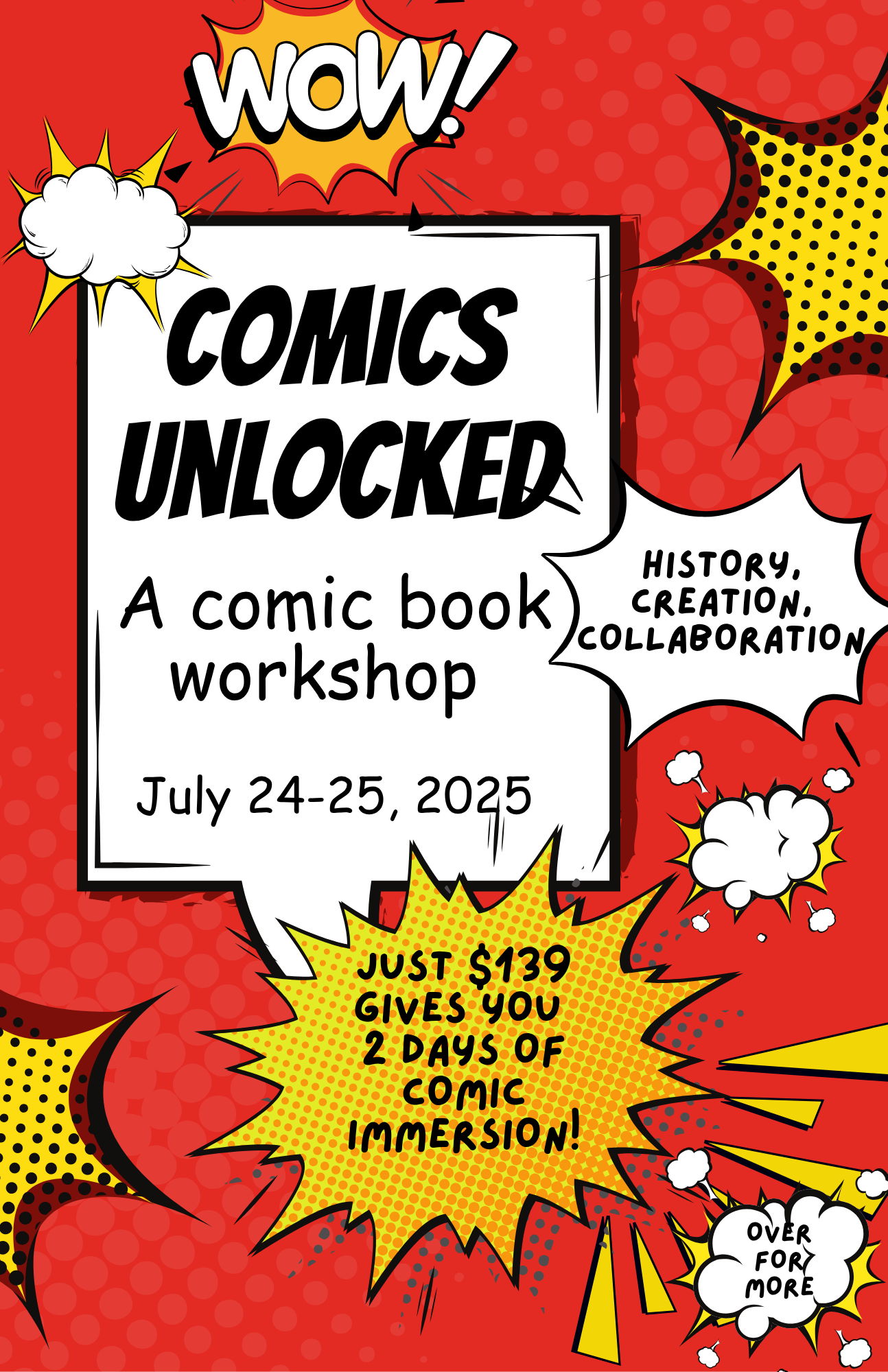
Option B: Comics Unlocked

​Your teachers (two Taylor U students) have been interested in comic books for their entire lives and are excited to share their knowledge with you. In their Comics Unlocked sessions, you’ll learn the history of comics, the craft of comic book creation (including formatting, script writing, pacing, and page layout), the artist/writer collaboration process, and possible paths to publication. You’ll also have the opportunity to work on your own comic book pitch and plan.

3. Do both a pre-conference track and the general conference for a reduced price.

If you choose one of the pre-conference tracks AND the general conference, you get both for $249. You’ll move seamlessly from having lunch on Friday after your pre-conference session to the general conference that begins at 1:00 p.m.

Some snapshots from our 2024 conference.

4. We’re great for all ages, types, and levels of writers.

Never been to a conference before? We’re ready to help you navigate with our friendly faculty and helpful staff (who just happen to be Taylor U Professional Writing students).

Just getting your feet wet in the writing world? We’re great for beginning writers to learn about what it takes and how to get started when it comes to being a writer.

Think you’re too old to start writing? You’re never too old. Lots of Bible characters have taught us that.

Think you’re too young? If you’re at least 16, we especially want to invite you to the conference. You’ll get to take part in all the sessions and networking, plus our college student staff will give you evening activities and a sense of what college life is all about.

Thinking you’re too advanced to need a conference? Maybe you’ve been around the industry a long time; maybe you’re a published author. Even so, there is never a time that you don’t need a refresher or some encouragement. And even better, you bring your expertise to those newer writers.

Check out the conference website at www.tupwc.com and register today!

A “Find Your Tribe” gathering of nonfiction writers at the 2024 conference.

Trying to meet the AI challenge: Part 2

As I noted in this post at the end of December, I was studying ways to teach my students how to use AI (artificial intelligence; in this case, specifically ChatGPT). However, “teaching them how to use” is a misnomer because I quickly discovered that students already are using it. And I was naive to think otherwise.

That discovery meant that my lesson preparation turned from presenting the opportunity of AI to instead focus on the ethical and practical uses of AI when writing. From a course like Essentials of Written Communication (business writing), students need to learn to be able to use AI well when they get into their internships or jobs. In fact, ability to use AI, write prompts, and yet understand AI’s limitations, will be a requirement by employers.

https://learn.aiacontracts.com/articles/

But first …. let’s understand what AI can and can’t do. I had the students read the article: “The Good, the Bad, and the Ugly of AI Writing.” Here’s a synopsis:

AI can be good and helpful because it can save time, thus making employees more productive, and it can help reduce human error. (For instance, even using a program like Grammarly or the Editor in Microsoft Word is using AI to help clean up writing.) I want my students to see that AI can be helpful with time-saving idea generation, editing, and yes, even some first draft preparation.

For my students, it will be important to learn how to write good prompts and create perhaps some initial ideas for drafts of documents they will need in their future jobs, help them with research, provide guidance when making sense of statistics, etc. Learning how to use AI well will be a timesaver, allowing them time to do other important aspects of their job.

But ..

AI can be bad for myriad reasons. It is only as creative as what is already “out there”; thus, it really has no creativity or originality. It only takes what others have done as everything appears online. (As a writer, this for me is the nonstarter. I refuse to let it do any writing for me. Indeed, I am writing this blog post all on my own!)

Students who use AI to write their papers end up with writing that (ahem) is often easy for teachers to spot. (Not always, but sometimes.) One of the key assignments my colleagues and I are doing is to have students write something in class at the beginning of a semester, which gives us a sense of their writing ability and style. That provides us with a benchmark to work from. And we check all quotes and sources to make sure they exist and are correct.

Students must never depend on AI to deliver a final product. It needs their human eyes and human voice. Thus, they need to know how to edit, what to look for, and how to take what AI gives them and polish it.

But …

AI can be ugly because it doesn’t have ethical standards. It’s happy to write pages of uninspired, generic material, make up quotes, make up sources, make up statistics, all while using everyone else’s ideas that exist in online world.

My students need to find the uses for AI that are helpful but not unethical, such as brainstorming, clarifying material that is difficult to understand, even help with foreign language learning. As a professor, I have had it create some games to make the point of a lesson, or give me some case studies to use, or even advise on how to simplify a concept for my students.

For instance, one assignment we did in class was to have each student write an email to a prospective student. We discussed audience, format, and structure of good emails. We put the characteristics of our target audience on the board.

I gave them a worksheet on which they did the following three activities — all three of which would be turned in. First, write an email in class, without any kind of AI help. Second, create a prompt and put it in ChatGPT, then copy and paste onto the worksheet both the prompt and the generated email. Third, create a final email starting with the original and incorporating anything from AI that seemed helpful (and highlight those things).

I was pleasantly surprised to discover that, in most cases, the first email written on their own was just fine, but they did at times incorporate another point or even a particular phrase that they liked from the AI-generated version. And I did ask them to run their final version through the Microsoft Editor (yes, still an AI) to help them clean up any grammatical or spelling errors.

I’m hoping from this lesson they learned that some helpful ways to use ChatGPT can be for them to write a first draft, get a bit of help from AI, and then adjust their final product if the program did indeed give them something useful. And then, of course, to let it help them make sure of their grammar and spelling.

In other words, it’s only supplemental, not the final say.

Stay tuned. I’m still learning and working …

Just write one . . .

Lunchtime was a big deal during my elementary school years. I recall spending much energy on exactly which lunchbox would provide my “ethos” for the upcoming year. After all, during every lunchtime, that lunchbox sat in front of me, open, back side available for all to see. Everyone at those long cafeteria tables would set up their boxes, pull out the thematically matched thermos and unscrew the cup and lid, take out the various foodstuffs, and spread it all out on the opened lid.

Yes. The lunchbox was ME. Who was I each year? Was I Holly Hobby? Peanuts? The simple butterfly design with flowers? Fairies?

The drama of the annual lunchbox choice still resides in my psyche.

So when I read Anne Lamott’s book Bird by Bird and her chapter about school lunches, I immediately resonated. As she describes, there’s so much going on when I consider my school lunches back in the mid-1960s. If I would try to write the scene, I might find myself overwhelmed. The lunchboxes, the long tables, the smell from the hot food line on pizza or taco day, the small square milk cartons, the cliques, the snack trading, the teachers walking around and monitoring, the noise and clatter before recess, the internal angst of walking across the cafeteria in a new outfit …

So much. Too much.

Lamott addresses this, giving advice to writers to not try to capture it all. Instead, to write the “one-inch picture frame.” To take a mental shot of the entire cafeteria scene, and then to Zoom in on one small piece of it — such as a lunchbox.

On her Instagram page beside a photo of a small picture frame, Lamott writes:

It sounds similar to Ernest Hemingway’s advice, in A Moveable Feast, to “write one true sentence”:

Sometimes when I was started on a new story and I could not get going, I would sit in front of the fire and squeeze the peel of the little oranges into the edge of the flame and watch the sputter of blue that they made. I would stand and look out over the roofs of Paris and think, “Do not worry. You have always written before and you will write now. All you have to do is write one true sentence. Write the truest sentence you know.”

One-inch frame . . . one true sentence.

The idea is to not get overwhelmed. To not give in to imposter syndrome. No matter how many chapters still to go, no matter how long the article, you can just write that one beautiful sentence. You can focus on that one small bit of the big picture, working word by word, sentence by sentence.

Eventually, yes, you’ll go back. You’ll edit. You’ll rearrange. You’ll cut. You’ll write more. But to get there, you need to start.

Break it down. Focus in. Take your time. A little bit every day.

One inch. One sentence.

My next teaching challenge: The AI effect

The chair of my department came into my office and said, “Linda, brush up on AI. You’re going to need to teach your students to use it.” He was referring to my Essentials of Written Communication class, a class where I teach the format and strategy of different types of writing that is important to both their lives on campus and beyond into the business realm.

And I must teach my students to effectively and ethically use AI platforms (such as Chat GPT) to truly prepare them for their future careers. The world is heading that direction and they need to be ready.

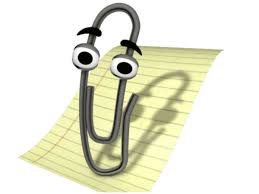
I have to admit, I’m a little worried. I’m a veteran of the 5-1/4-inch floppy disk era. Even before that, I navigated my way from typing class in high school (on typewriters) to computers with various floppy disk sizes and on through the many, many versions of Microsoft Word (remember when “Clippy” would give writing advice?).

Clippy, courtesy of Mental Floss

And then came email (woo hoo! Files could be attached and sent instantaneously) and the Internet. So far I’ve managed to move through these past 50 years of my writing career with a minimum of turmoil.

But I have to admit that the world of Artificial Intelligence is setting me back on my heels a little. While many of my colleagues have embraced and are using it well, I’m setting aside January to catch up. Here’s my reading material, Teaching with AI.

I have my concerns. As a writer, I’m honestly worried about my students deferring to AI and not understanding the creativity needed for every kind of writing — an email, a news release, a report. Having an AI just generate these annoys every part of me.

But I’ve been teaching long enough to know that writing doesn’t come easily to everyone. Even as I teach my students to use programs like Grammarly or Microsoft Word’s editing tools on their papers means I already have been teaching them to use AI.

So as I prepare for my spring Essentials of Written Communication class, I will be rewriting my curriculum to continue to teach the formatting and structure of various types of writing, while planning for students to use AI. I plan to create assignments for them to write and then edit with AI; I’ll be showing them how their human touch is still vital to anything they use AI to create; I’ll be talking about the ethical use of AI so they understand its creative limitations (and potential for plagiarism).

As the book says, “It is essential that educators start to talk about these issues with students. if we want students to use AI responsibly, both in school and beyond, AI ethics must be baked into curriculum and include AI literacy, an emerging essential skill” (3).

Do you use AI? How has it helped you? What concerns do you have about its use?

What kinds of jobs can a writer get?

OR How can I turn my writing into a career?

Helping my students turn their love for words and ability to write into a career is exactly what I’ve been trying to do with my life for the past 15 years.

I’m planning a class for spring 2025 that will be the introductory class to my Professional Writing major here at Taylor U. But I’ve set my sights a bit bigger as I also want to invite into the class any student who might be sitting around considering their major and thinking, “But I’m also a pretty good writer.” I want to offer a class where they can explore how their ability with words (which, believe me, isn’t something everyone has) can be leveraged into many types of jobs in their chosen fields.

Here’s the deal: Even though I teach the students who major in Professional Writing about the ins and outs of writing well and book publishing, I don’t leave them with the unrealistic dream that they’ll be able to make a living off the royalties from their published books (if, indeed, they get published). My students who have had their books published often still have day jobs — or have spouses who have day jobs. (I know you writers, laboring in the evenings or early mornings on your manuscripts in between bouts of “real life,” understand this.)

Gif from plaidswan.com

Most of my alumni are using their ability with words in many fields. I currently have former students in the following jobs:

  • Copy writer
  • Magazine editor
  • Book editor
  • Freelance editor
  • Digital content strategist
  • Communications director
  • Marketing director
  • SEO specialist
  • Publicist
  • Acquisitions editor
  • Literary agent
  • Author
  • Technical writer
  • Social media director
  • Proofreader
  • Email marketing manager
  • Blog writer
  • Web writer
  • Content writer

And no, AI is not going to replace all of these people. In fact, I plan to teach ways to use AI strategically to help us (and it can). However, we’re going to learn what we humans still need to know to help AI do its thing, as well as to help it deliver what’s needed.

Thus, as I create my syllabus for the coming semester, I hope to expose my students to the many opportunities available to anyone who can string words together in a coherent, concise, and clear manner. Good writers are desperately needed because content is desperately needed almost literally everywhere. Even writing a good email has become a lost art.

What jobs are you aware of that need good writers? Even if you’re a novelist by night or hammering away at your opus, where else do you use your writing skills?

Help me give my students some encouragement!

4 keys to your author social media strategy

As much as I talk and teach about social media, I have rarely written about it on this blog. Turns out, 2015 was the last time. In rereading that post from nine years ago, I see that it stands the test of time. While social media constantly changes, some things stay the same. One thing that is the same:

If you want to get your book published, you need to be out there on social media.

So how do you build a social media strategy? I know many of you struggle with this. But every publisher or agent will tell you that it is vital that you have a presence on social media. Let me help you get over your distress and offer four key points.

1. It’s not all about you.

That’s meant to make you feel better. Being on social media as a writer means the privilege of engaging with your “tribe” (a Seth Godin term), the community of writers — and not just writers, but writers writing in your genre, published and unpublished, local or around the world. On social media you find and follow those people. It has never been easier to connect with your favorite authors and with other likeminded writers working in the trenches. Seriously, we need one another.

Make your social media about those folks. Celebrate their successes. Read their books and learn from them, then share them on your social media, write reviews, be excited. Point to others, not at yourself. The more you do this, I guarantee you’ll begin to build a network of people around you who will support you when your time comes.

2. But you should also share about you–authentic you.

But at the same time, you need to let people see a window into your world. You’re not just lurking over in their world while presenting a blank slate about your own. That’s hardly helpful because the whole purpose is to join these networks of people. So let them know you a little. But be you. Be authentic.

Share about your writing process: was today a great day of writing? Why or why not? What works best for you? Share about what you’re researching and learning. All writers know the rabbit trails we can get on when we’re researching information on the internet. What new pertinent (or not) information did you learn today? Then you can get a little more personal.

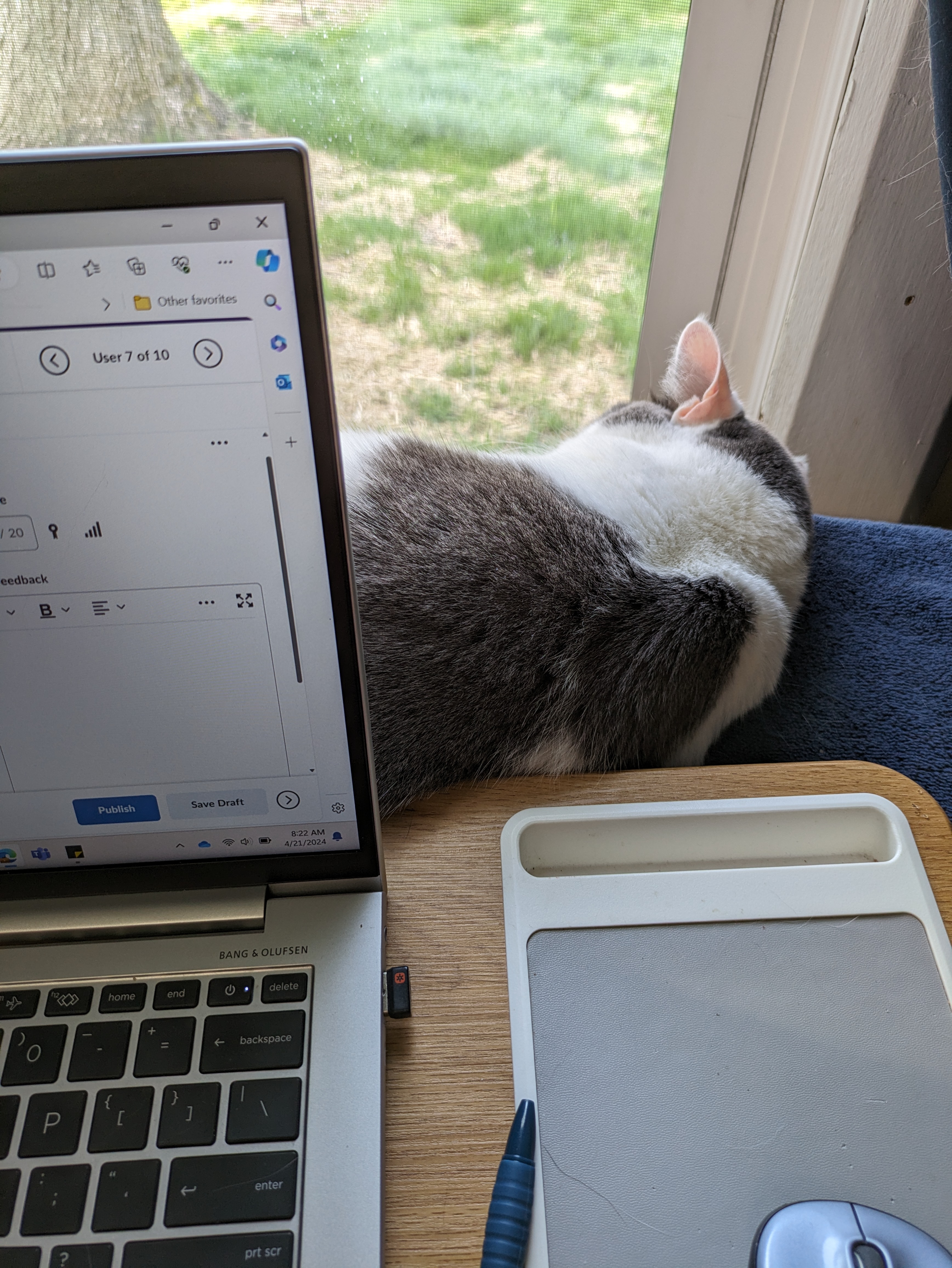
Pinky is not helpful at all.

You don’t need to go overboard, but do know that people are interested. Talk about how your cats are not helpful. Pets are always safe and fun, especially if you don’t want to share family photos or information. Fine, just stick with your writing. I would advise you to stay out of politics unless that’s what your book is about. Just stay on brand. You can do all of these whether you’re blogging or posting on social media.

3. You don’t need to be everywhere.

You can’t do every social media platform and do it well. After all, you have a book to write and, I assume, probably a million other things going on in your life. You should be on the platforms you’re comfortable with and where your readers are. I would advise that you have a website, because that is your own piece of real estate that all of your social media can point back to. This is where you have your author photo and bio and your blog (and yes, you need a blog so it can showcase how you write and that you can indeed write).

From there, perhaps you just want to do Facebook. Or Goodreads. Or Pinterest. If you’re writing YA, then you need to be where the young people are, which is probably Instagram. Study how to use these platforms well. Find your favorite authors or writers you admire and see what they’re doing on these platforms to give you ideas.

4. Post and engage consistently.

This ties back to the “if you want to get published” theme and the “you can’t be everywhere” idea. You may despair that you haven’t been active for a long time or you don’t have many followers. That’s okay. Start back in again, and then create a weekly schedule that you can keep up with. It has to work for you or it won’t work.

Perhaps on Monday you’ll share on Facebook about something you learned in your research. On Wednesday you’ll post on Pinterest some photos you found about the time period of your historical fiction. On Friday, you’ll share the link to an article you read that was pertinent to your book’s topic. On Saturday, maybe a Canva-created quote from your book.

Then, as people engage with you, engage with them. While many social media experts will talk about how you need X number of followers to even be considered for publication, that’s not true everywhere. If you’re building a following and engaging with your followers, if you’re actively and consistently posting on brand, if you’re showing yourself as winsome and creative and someone any publisher would love to work with, well, you’re doing it exactly right.

Realize you’re building relationships. That’s the most important thing you can do as you build your social media and create your author platform. It’s not all about you. You don’t have to become an internet influencer posting selfies all day. In fact, that’s the opposite of what you want to do. Focus not on yourself but on your tribe and your readers. Put good content out there that will be interesting and helpful to them.

Be you. Be there. Enjoy. Drop your blog link or social media handles below so I can follow you!

What’s your author brand?

I teach a class called Social Media Strategy at Taylor University. It’s a required course for my Professional Writing majors, although I usually get a plethora of other majors taking the course as well.

It’s purpose? In the first half of the semester, I help students navigate social media personally (more in another post about the second half of the semester). While many are active on social media, most students don’t know how to be strategic in beginning to think of themselves no longer as “kids” or even “college students” but as professionals seeking internships and jobs.

Since 67% of employers use social media sites to research potential job candidates, my students need to up their game. This class gives practical hands-on skills and encourages students in wise use of social media in all areas.

One of the first things we do is create a website. Each student uses a free platform (no $ or coding required) in order to nab their own piece of real estate on the internet. Their other social media then will branch out from this hub. But this is where it begins. This is where they showcase their brand and then build consistently on it through all their other media.

What do I mean about “brand”? When you think about a brand, you think about, for instance, McDonald’s arches—and then you immediately have some kind of emotional reaction tied to their branding of families coming together to eat, or eating in the car on road trips, or how that burger tastes the same whether you’re in Marion, Indiana, or Paris, France. Let me let Erik Deckers and Kyle Lacy, authors of Branding Yourself: How to Use Social Media to Invent or Reinvent Yourself, explain this: “It’s an emotional response to the image or name of a particular company, product, or person” (6). So, when you think about yourself as a brand:

Branding yourself means that you create the right kind of emotional response when someone hears your name, sees you online, or meets you in real life. The “right” kind doesn’t mean being someone you’re not. It’s your personality, your voice, your interests, your habits—everything about you that you want people to know. The information you show to other people, the things you say, and the photos you post should all fit within the theme of your personal brand. (7)

For instance, in the first iteration of my website and blog, I wrote devotional thoughts. A later version was about moving from the city to the country and the attendant adventures (like the time our rooster attacked me from behind and jumped on my back). Those were fine, and I still have those blog posts in my current website under various categories.

But what is my brand? What am I most knowledgeable and passionate about? What should I be writing about? What do I have to offer into the world?

For me, it’s anything having to do with writing, editing, and publishing.

When I figured that out, that made all the difference. This gave focus to my website and my blog topics, and it helped me understand how to use my website and social media more strategically.

Deckers and Lacy suggest asking yourself, “What do I want to be known for? What qualities do I want people to associate with me? What is the first thing I want to have pop in their heads when they hear my name?” (7).

As my students realize that potential employers will be seeking out their social media (which we clean up) and will find their website, this is where they can express themselves as future writers, editors, PR professionals, journalists, filmmakers, etc. This is where they show that they aren’t just one of many students graduating from college in their chosen field; this is where they show how serious they are about what they’re learning, and this is where they show their uniqueness, how they are “purple cows,” standouts.


Their website is a powerful tool. They will continue to change and adjust, as I did, but I’m counting on them being able to impress their future employers because they are more than just a name on a resume. They are interesting people with their own stories.

This is their brand.

Writers, what’s your brand? What are you known for? How might you build your website to showcase that?

More on social media usage for writers in upcoming posts.

Writing Real — More than a Dum Dum

In my Freelance Writing class this week, we’re working on the “art of living” article — writing that seeks to inspire or help readers live life just a little better based on our ability to share our own joys and struggles.

Our text puts it this way: “The key to writing art-of-living articles is to write an article that will make a difference in someone’s life—to provide the reader with something to hold on to and take away into her own life.” —Handbook of Magazine Article Writing

To really make this work, however, that piece needs to provide transparency into the life of the author. Readers want writers to be real, to dive deep, to share their stories.

But it doesn’t need to be dark or traumatic. Sometimes the sweetest and most inspirational pieces of writing come from memories, moments, minute details of life that draw us back and make us think. To give my students that opportunity, I gave them a handout with their lives (so far) divided into segments. They were to write down five or six memories from sets of years: 0-5, 6-10 (elementary school), 11-14 (junior high), 15-18 (high school), and 18+ (college). As they began to scribble, I explained that the memories that came quickly are worth thinking about further. There’s a reason that those bubble to the top.

Their job then was to choose one of those memories and describe it. That gets the scaffolding in place. Now to get a solid art-of-living piece, to get to something that will resonate with our readers, we need to go deeper.

So we considered some questions. I asked them to close their eyes and go back to that memory. What was going on in their lives at that time, in their family life, in the world? Where were they living? Who else was part of their lives at the time? What else do they see, hear, feel, smell, taste? As they looked at that memory in a bigger picture and considered why that particular memory surfaced at all, they can write a story with heart. They can begin to see how that minor thing matters, and in turn, help their readers put themselves into their own similar story.

As if to make me take my own advice, today, a sweet college student dressed as a bunny rabbit stopped into my office and let me draw some Halloween candy from her outstretched pumpkin basket. I drew out a Dum Dum.

The Dum Dum that arrived today.

In that moment, I saw my Grandpa Chaffee’s face. He had been a rural mail carrier in the little town of Wattsburg, PA, and its environs. He drove his massive Oldsmobile Toronado to deliver mail — and there was always a big bag of Dum Dums on his front seat. The children on his route knew he’d give them a sucker. Even though our family visited him only once a year or so, whenever I got into that enormous car to ride with him, I drew a Dum Dum from the bag and stuck it in my mouth, sucking happily as we zipped down twisty dirt roads.

Gramps, me, and Trixie, circa 1964.

That Dum Dum sent me back. The joy of our traveling military family always returning to deep extended-family roots in western PA. The legacy of love and faith I’ve been privileged to receive. The deep loss of grandparents and now both of my parents. Changes as decades pass; foundations that remain solid. Heaven’s certainty. A loving family that shaped who I am. Sweet memories and sweet candy.

It’s just a Dum Dum, but now there’s something there worth writing. Something to help readers also think about how life changes yet some foundations are worth holding onto and passing on. It was just a Dum Dum, but it’s so much more.

What simple things in your life have a depth of meaning? What memories rise to the surface? How might you write about them?

Writers Need Thick Skin, Part 2: Dealing with Acceptance

As I noted in Part 1 of this topic, writers need a thick skin in order to handle the inevitable rejection that occurs as they submit their writing for publication.

Here, in Part 2, I want to discuss the entirely opposite reason that we need thick skin — dealing with the results of being accepted for publication: the inevitable reviews.

(The following is excerpted from my book Pathway to Publication, now available from Amazon.)

Be prepared for negative reviews

I’m going to burst your bubble, but only a little bit. I’m going to warn you about the perils of publication. Granted, this was your goal. But I want to make sure you’re prepared with a thick skin for the reviews of your book—maybe not in major publications, but everywhere that readers go. On blogs. On book reviewing websites. On Goodreads. On Amazon. And even when you write articles or blogs, be ready for folks to chime in wherever they can.

https://tenor.com/view/bubbles-gif-6215216

When your book is published, folks will read it and give their opinions. You may receive some five-star reviews on Amazon or Goodreads. You may receive some one-star reviews. Some readers will say yours is one of the best books they’ve ever read. Others will say your book wasted their time, and they didn’t finish reading it.

Be ready for both types of reviews. Take them at face value, realizing that never has any book pleased everyone. It always amazes me—the vast variety of comments and how a book can resonate with some people and be completely disliked by others.

I’ve started going to the Goodreads site online every time I finish a book, first to put it on my virtual shelves to keep track of what I’ve read, then to settle in and look for one-star reviews. Sometimes I have to scroll a bit, and sometimes they are waiting for me on the first page. I want to understand what makes people dislike a book. Sometimes the reviews help me pinpoint a niggling concern I had as I was reading—something I couldn’t quite put into words. Other times, it seems that readers are looking for something to complain about.

Some authors say that you shouldn’t read your reviews at all, for those very reasons.

But, let’s face it. You will.

When you see these reviews, you can’t do anything. These aren’t critique readers or your editor commenting. You can’t make changes. These are readers of your published work putting their opinions out in the world for all to see.

Take everything in stride. Remember that you can’t please everyone. Don’t take the one-star reviews so deeply to heart that you decide never to write again because you’re a failure. But, at the same time, don’t take the five-star reviews so deeply to heart that you decide never to write again because you can’t possibly do another book that would be as good. And if you do get many five-star reviews, stay humble.

Reviews are reviews. When you get hit with a one-star review (and you most likely will), don’t engage, go to battle, or try to change their mind. They read it, they didn’t like it, end of story. Move on. Some people just won’t get what you were trying to say or do in your book.

The problem is that no matter how many encouraging four- or five-star reviews you may get, it is those one- or two-star reviews that will keep you up at night, doubting yourself.

To make yourself feel better, choose a couple of favorite books you’ve read recently (choose some that are fairly new—not a classic from the 1800s).

Go to Goodreads or Amazon. Type in the title, find the book, and read the reviews. Read some five-star reviews (yay! They agree with you!). Now read some one- or two-star reviews (boo! They hated the writing, the metaphors, the characters, the plot, whatever).

Now realize that if your favorite book has such a variety of reviews, surely you are in good company.

Your best defense is to keep marketing your book and engaging with the folks who liked it—they are your audience, and they surely know others who will also like the book. And don’t be ashamed to ask for a positive review from them.

But don’t ASK for trouble

Here is where I get concerned and want to offer a warning. What you don’t want to happen is for your book to get legitimate negative reviews. What I mean is don’t be in such a hurry to self-publish (for instance) that you don’t have your book edited or proofread. If reviewers comment on typos and poor writing, that’s on you. Another issue would be rushing a book to press without fact checking or consideration of truthfulness. Seems obvious, right? Well, here is my plea to be careful and not to count on your editors to catch everything.

I never really thought about this until I finished reading Three Cups of Tea, by Greg Mortensen and David Oliver Relin. From the cover, it sounded like a lovely read about a man seeking to make a difference in Pakistan and Afghanistan in the late 1990s and early 2000s by building schools in remote villages. It topped The New York Times bestseller list for three years, so it must be good, right?

Well, not so much. It was an okay read. I didn’t love it, although I found it inspiring.

I finished the book, went to Goodreads to do my thing, and spent the rest of the afternoon reading review after review, which led me to article after article. The reviews, many of them glowing at first about the topic of the book (although many didn’t like the writing) turned negative after flaws and inconsistencies in the book began to be pointed out. Then in 2011, the 60 Minutes TV show did an exposé about parts of the book that had been allegedly fabricated, along with alleged mismanagement of funds by Mortensen’s nonprofit. Some articles and blogs vilified the book and the authors. Others pointed out the great work Mortensen had done in the region in spite of those lapses in judgment.

All that to say, sadly, the hard work of the book has given rise to questions and lawsuits. What was the motivation for the material that was not factual—such as the story of getting lost coming down from a failed attempt to summit K2 and crossing a bridge to a village (a bridge that did not exist at the time)? This story in the book’s opening provides the impetus for the remainder of the book. So, having that story’s facts on the first pages challenged called into question the rest of the book.

The author recounts another story of visiting Mother Teresa’s charity just after her death and his thoughts as he was able to sit quietly with her body. Problem is, the author says he was there in 2000, but Mother Teresa died in 1997 (not difficult to fact check). And none of the book’s editors caught it.

Mortensen said in interviews that various details had to be conflated to get the millions of original words down to the workable and publishable amount. Perhaps it was just faulty memory, or editing gone awry, or running stories together to keep the narrative moving. I don’t know. I just know that as I read beyond the whiny reviews by people who didn’t like the writing style and got to these very problematic issues that took down the author’s reputation, I felt terribly sad.

Be cautious with what you put into the world

This is merely a cautionary tale. In your rush to get your book out there, don’t skip the important steps because, trust me, you won’t get away with it. Don’t publish a book that hasn’t been vetted, edited, copyedited, fact-checked, and proofread. Make sure it is truthful and represents writing you’re proud of.

Then, when the inevitable nay-sayers don’t like your book, their reasons will be from their own particular tastes versus legitimate concerns. But in the process, you can stand behind your work with no apologies or backtracking.

The experience of getting published is like nothing else! But as you trek along the pathway to publication, take your time, be careful, do it right. Your moment at the mountaintop will be the better for it.

Copy taken from Linda K. Taylor, Pathway to Publication (Friendswood, TX: Bold Vision Books), March 24, 2023, pp. 211-215.