Unlocking SEO: How Keyword Titles Boost Video Views

I honestly never thought much about SEO (search engine optimization) until one of my students. Grant, decided to take on that topic as his final senior project in our Professional Writing major. He had found the topic interesting during our Social Media Strategy class and decided he wanted to learn more.

He researched deep into the weeds of the topic, wrote his paper, and did a final presentation that allowed him to consolidate the research and give the basics of search engine optimization in a presentation that was understandable to those of us who knew nothing. After graduation, Grant got a job with Visit Indiana, the tourism arm of the State of Indiana — now working as webmaster for their website with its tens of thousands of pages. When it comes to SEO, he knows his stuff.

Search engine optimization basically optimizes your search on the search engines … which means that we want to write our titles and posts and internet copy using key words that searchers are going to put into the search bars. When we do so, there is more chance of the algorithm finding our material and bringing it higher on the results. (That’s a way-too-simplified version and it’s beyond my comprehension, but I do understand working with words to match search words.)

Every semester, Grant graciously returns to my classroom to present that basic introduction to SEO to my students. Many of them have no idea what it is or how to use it.

And, if I’m honest, neither did I.

I had started a YouTube channel a few years ago with nothing more than a few screenshotted videos of me showing writers how to do various tasks in Microsoft Word (creating a title page, creating a Table of Contents, etc.). I recorded one of them because a former employer asked me to show how to do style tagging so they could send the video to clients. I created others to go along with my Pathway to Publication book as part of the manuscript formatting chapter. My little YouTube channel sat fairly quiet, with a few folks clicking on and viewing my videos.

As Grant taught about SEO, he explained the power of using key words in titles and descriptions, thinking of what a searcher on Google is going to ask. He suggested that we plug in some questions, and then scroll down to the “People also ask” section to get an idea of those googled questions, the “How do I …?” questions. I went back and changed the titles and descriptions to my eight videos (I know, I said it was a small channel) to questions or statements someone would actually put into Google.

For instance, “Title pages” became “Creating a title page in Microsoft Word,” and in the description of the video is the question, “How do I add a title page to my manuscript?”

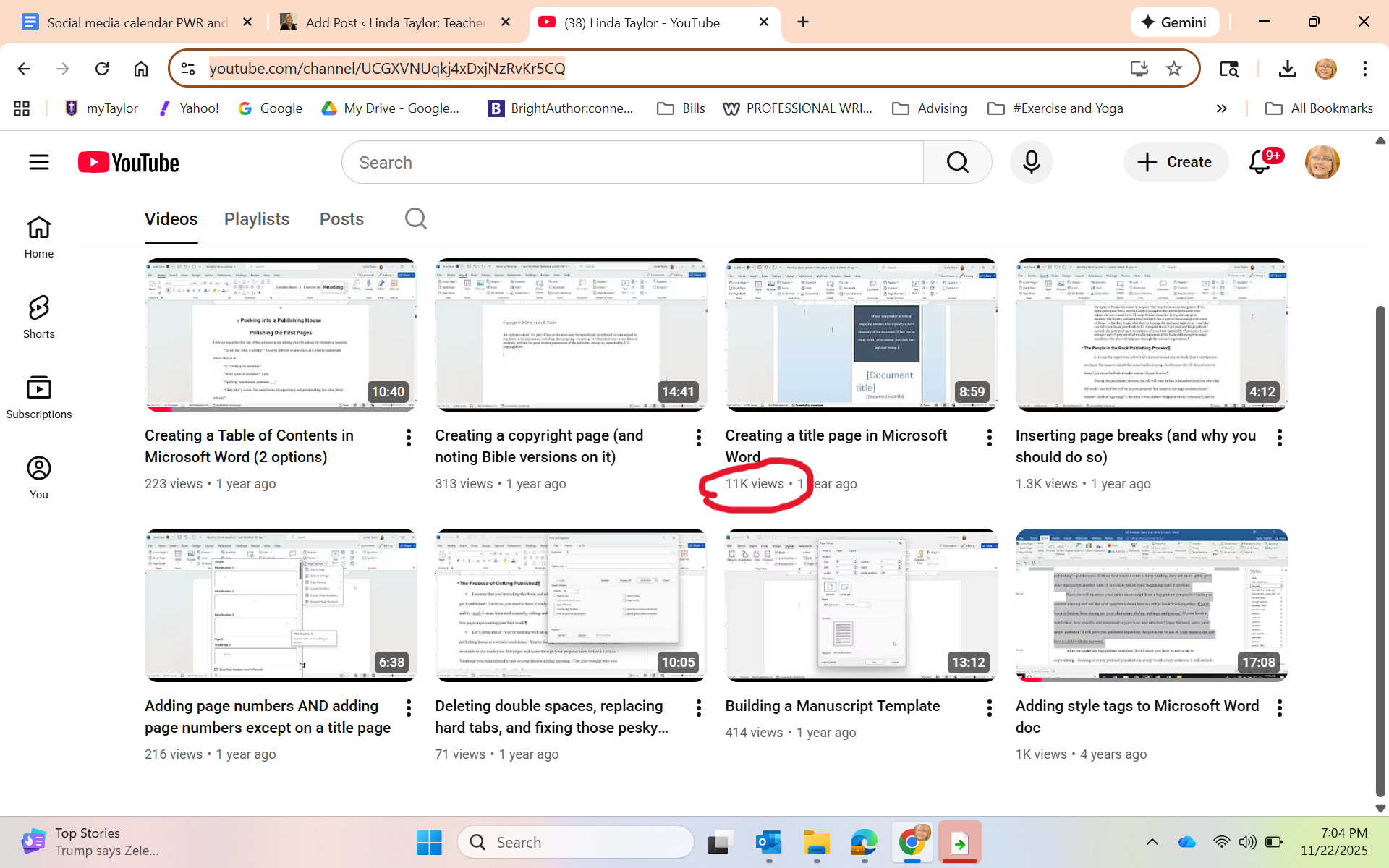
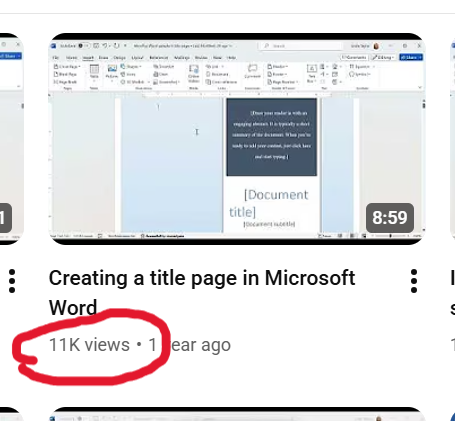
A few months passed without me checking in. Last week, I opened the YouTube page to show it to the students in my Editing class to let them know some of the things we talked about in class are in video form there. One student piped up: “Wow, you have 11,000 views on that one video.”

Whaaaaat?

Just in case you can’t see it:

I honestly didn’t think it was real. I sent the screenshot to Grant, thanking him profusely and asking him also if this could even be real. He checked it for me, and then sent me this screenshot, showing that my video appears as the first video option when he googled “how to create a title page in Microsoft Word.”

“You should be proud of yourself,” he kindly said.

I don’t think I’d say that. I just find it exciting to see that yes, indeed, SEO thinking works. AND that so many folks happened upon my little video and, hopefully, made killer title pages!

I’m basically an influencer now …

Trying to meet the AI challenge: Part 2

As I noted in this post at the end of December, I was studying ways to teach my students how to use AI (artificial intelligence; in this case, specifically ChatGPT). However, “teaching them how to use” is a misnomer because I quickly discovered that students already are using it. And I was naive to think otherwise.

That discovery meant that my lesson preparation turned from presenting the opportunity of AI to instead focus on the ethical and practical uses of AI when writing. From a course like Essentials of Written Communication (business writing), students need to learn to be able to use AI well when they get into their internships or jobs. In fact, ability to use AI, write prompts, and yet understand AI’s limitations, will be a requirement by employers.

https://learn.aiacontracts.com/articles/

But first …. let’s understand what AI can and can’t do. I had the students read the article: “The Good, the Bad, and the Ugly of AI Writing.” Here’s a synopsis:

AI can be good and helpful because it can save time, thus making employees more productive, and it can help reduce human error. (For instance, even using a program like Grammarly or the Editor in Microsoft Word is using AI to help clean up writing.) I want my students to see that AI can be helpful with time-saving idea generation, editing, and yes, even some first draft preparation.

For my students, it will be important to learn how to write good prompts and create perhaps some initial ideas for drafts of documents they will need in their future jobs, help them with research, provide guidance when making sense of statistics, etc. Learning how to use AI well will be a timesaver, allowing them time to do other important aspects of their job.

But ..

AI can be bad for myriad reasons. It is only as creative as what is already “out there”; thus, it really has no creativity or originality. It only takes what others have done as everything appears online. (As a writer, this for me is the nonstarter. I refuse to let it do any writing for me. Indeed, I am writing this blog post all on my own!)

Students who use AI to write their papers end up with writing that (ahem) is often easy for teachers to spot. (Not always, but sometimes.) One of the key assignments my colleagues and I are doing is to have students write something in class at the beginning of a semester, which gives us a sense of their writing ability and style. That provides us with a benchmark to work from. And we check all quotes and sources to make sure they exist and are correct.

Students must never depend on AI to deliver a final product. It needs their human eyes and human voice. Thus, they need to know how to edit, what to look for, and how to take what AI gives them and polish it.

But …

AI can be ugly because it doesn’t have ethical standards. It’s happy to write pages of uninspired, generic material, make up quotes, make up sources, make up statistics, all while using everyone else’s ideas that exist in online world.

My students need to find the uses for AI that are helpful but not unethical, such as brainstorming, clarifying material that is difficult to understand, even help with foreign language learning. As a professor, I have had it create some games to make the point of a lesson, or give me some case studies to use, or even advise on how to simplify a concept for my students.

For instance, one assignment we did in class was to have each student write an email to a prospective student. We discussed audience, format, and structure of good emails. We put the characteristics of our target audience on the board.

I gave them a worksheet on which they did the following three activities — all three of which would be turned in. First, write an email in class, without any kind of AI help. Second, create a prompt and put it in ChatGPT, then copy and paste onto the worksheet both the prompt and the generated email. Third, create a final email starting with the original and incorporating anything from AI that seemed helpful (and highlight those things).

I was pleasantly surprised to discover that, in most cases, the first email written on their own was just fine, but they did at times incorporate another point or even a particular phrase that they liked from the AI-generated version. And I did ask them to run their final version through the Microsoft Editor (yes, still an AI) to help them clean up any grammatical or spelling errors.

I’m hoping from this lesson they learned that some helpful ways to use ChatGPT can be for them to write a first draft, get a bit of help from AI, and then adjust their final product if the program did indeed give them something useful. And then, of course, to let it help them make sure of their grammar and spelling.

In other words, it’s only supplemental, not the final say.

Stay tuned. I’m still learning and working …

My next teaching challenge: The AI effect

The chair of my department came into my office and said, “Linda, brush up on AI. You’re going to need to teach your students to use it.” He was referring to my Essentials of Written Communication class, a class where I teach the format and strategy of different types of writing that is important to both their lives on campus and beyond into the business realm.

And I must teach my students to effectively and ethically use AI platforms (such as Chat GPT) to truly prepare them for their future careers. The world is heading that direction and they need to be ready.

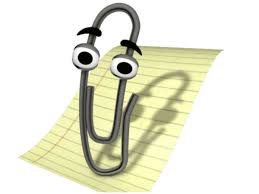
I have to admit, I’m a little worried. I’m a veteran of the 5-1/4-inch floppy disk era. Even before that, I navigated my way from typing class in high school (on typewriters) to computers with various floppy disk sizes and on through the many, many versions of Microsoft Word (remember when “Clippy” would give writing advice?).

Clippy, courtesy of Mental Floss

And then came email (woo hoo! Files could be attached and sent instantaneously) and the Internet. So far I’ve managed to move through these past 50 years of my writing career with a minimum of turmoil.

But I have to admit that the world of Artificial Intelligence is setting me back on my heels a little. While many of my colleagues have embraced and are using it well, I’m setting aside January to catch up. Here’s my reading material, Teaching with AI.

I have my concerns. As a writer, I’m honestly worried about my students deferring to AI and not understanding the creativity needed for every kind of writing — an email, a news release, a report. Having an AI just generate these annoys every part of me.

But I’ve been teaching long enough to know that writing doesn’t come easily to everyone. Even as I teach my students to use programs like Grammarly or Microsoft Word’s editing tools on their papers means I already have been teaching them to use AI.

So as I prepare for my spring Essentials of Written Communication class, I will be rewriting my curriculum to continue to teach the formatting and structure of various types of writing, while planning for students to use AI. I plan to create assignments for them to write and then edit with AI; I’ll be showing them how their human touch is still vital to anything they use AI to create; I’ll be talking about the ethical use of AI so they understand its creative limitations (and potential for plagiarism).

As the book says, “It is essential that educators start to talk about these issues with students. if we want students to use AI responsibly, both in school and beyond, AI ethics must be baked into curriculum and include AI literacy, an emerging essential skill” (3).

Do you use AI? How has it helped you? What concerns do you have about its use?

What kinds of jobs can a writer get?

OR How can I turn my writing into a career?

Helping my students turn their love for words and ability to write into a career is exactly what I’ve been trying to do with my life for the past 15 years.

I’m planning a class for spring 2025 that will be the introductory class to my Professional Writing major here at Taylor U. But I’ve set my sights a bit bigger as I also want to invite into the class any student who might be sitting around considering their major and thinking, “But I’m also a pretty good writer.” I want to offer a class where they can explore how their ability with words (which, believe me, isn’t something everyone has) can be leveraged into many types of jobs in their chosen fields.

Here’s the deal: Even though I teach the students who major in Professional Writing about the ins and outs of writing well and book publishing, I don’t leave them with the unrealistic dream that they’ll be able to make a living off the royalties from their published books (if, indeed, they get published). My students who have had their books published often still have day jobs — or have spouses who have day jobs. (I know you writers, laboring in the evenings or early mornings on your manuscripts in between bouts of “real life,” understand this.)

Gif from plaidswan.com

Most of my alumni are using their ability with words in many fields. I currently have former students in the following jobs:

  • Copy writer
  • Magazine editor
  • Book editor
  • Freelance editor
  • Digital content strategist
  • Communications director
  • Marketing director
  • SEO specialist
  • Publicist
  • Acquisitions editor
  • Literary agent
  • Author
  • Technical writer
  • Social media director
  • Proofreader
  • Email marketing manager
  • Blog writer
  • Web writer
  • Content writer

And no, AI is not going to replace all of these people. In fact, I plan to teach ways to use AI strategically to help us (and it can). However, we’re going to learn what we humans still need to know to help AI do its thing, as well as to help it deliver what’s needed.

Thus, as I create my syllabus for the coming semester, I hope to expose my students to the many opportunities available to anyone who can string words together in a coherent, concise, and clear manner. Good writers are desperately needed because content is desperately needed almost literally everywhere. Even writing a good email has become a lost art.

What jobs are you aware of that need good writers? Even if you’re a novelist by night or hammering away at your opus, where else do you use your writing skills?

Help me give my students some encouragement!

What’s your author brand?

I teach a class called Social Media Strategy at Taylor University. It’s a required course for my Professional Writing majors, although I usually get a plethora of other majors taking the course as well.

It’s purpose? In the first half of the semester, I help students navigate social media personally (more in another post about the second half of the semester). While many are active on social media, most students don’t know how to be strategic in beginning to think of themselves no longer as “kids” or even “college students” but as professionals seeking internships and jobs.

Since 67% of employers use social media sites to research potential job candidates, my students need to up their game. This class gives practical hands-on skills and encourages students in wise use of social media in all areas.

One of the first things we do is create a website. Each student uses a free platform (no $ or coding required) in order to nab their own piece of real estate on the internet. Their other social media then will branch out from this hub. But this is where it begins. This is where they showcase their brand and then build consistently on it through all their other media.

What do I mean about “brand”? When you think about a brand, you think about, for instance, McDonald’s arches—and then you immediately have some kind of emotional reaction tied to their branding of families coming together to eat, or eating in the car on road trips, or how that burger tastes the same whether you’re in Marion, Indiana, or Paris, France. Let me let Erik Deckers and Kyle Lacy, authors of Branding Yourself: How to Use Social Media to Invent or Reinvent Yourself, explain this: “It’s an emotional response to the image or name of a particular company, product, or person” (6). So, when you think about yourself as a brand:

Branding yourself means that you create the right kind of emotional response when someone hears your name, sees you online, or meets you in real life. The “right” kind doesn’t mean being someone you’re not. It’s your personality, your voice, your interests, your habits—everything about you that you want people to know. The information you show to other people, the things you say, and the photos you post should all fit within the theme of your personal brand. (7)

For instance, in the first iteration of my website and blog, I wrote devotional thoughts. A later version was about moving from the city to the country and the attendant adventures (like the time our rooster attacked me from behind and jumped on my back). Those were fine, and I still have those blog posts in my current website under various categories.

But what is my brand? What am I most knowledgeable and passionate about? What should I be writing about? What do I have to offer into the world?

For me, it’s anything having to do with writing, editing, and publishing.

When I figured that out, that made all the difference. This gave focus to my website and my blog topics, and it helped me understand how to use my website and social media more strategically.

Deckers and Lacy suggest asking yourself, “What do I want to be known for? What qualities do I want people to associate with me? What is the first thing I want to have pop in their heads when they hear my name?” (7).

As my students realize that potential employers will be seeking out their social media (which we clean up) and will find their website, this is where they can express themselves as future writers, editors, PR professionals, journalists, filmmakers, etc. This is where they show that they aren’t just one of many students graduating from college in their chosen field; this is where they show how serious they are about what they’re learning, and this is where they show their uniqueness, how they are “purple cows,” standouts.


Their website is a powerful tool. They will continue to change and adjust, as I did, but I’m counting on them being able to impress their future employers because they are more than just a name on a resume. They are interesting people with their own stories.

This is their brand.

Writers, what’s your brand? What are you known for? How might you build your website to showcase that?

More on social media usage for writers in upcoming posts.

Proud of my grads

So excuse me while I get a little verklempt.

It happens to me every year, around May, you know … graduation. Every year, another set of students in whom I’ve invested for four years whatever knowledge I have to share, whatever words of wisdom I have to offer, and whatever encouragement I have to pour out on them — every year, another batch of them leaves. I wrote about this feeling back in 2015, about my annual heartache, and it has followed me every year since then.

Seriously, it feels like it did when I had to let my kids go. We parents know what it’s like to launch our children. To watch them drive away to that new job, or to hand them off in marriage, or to stand by and hold our breath as they learn the joys and frustrations of adulting.

I know these aren’t my kids, but they have definitely become a part of my life and the letting go still hurts my heart.

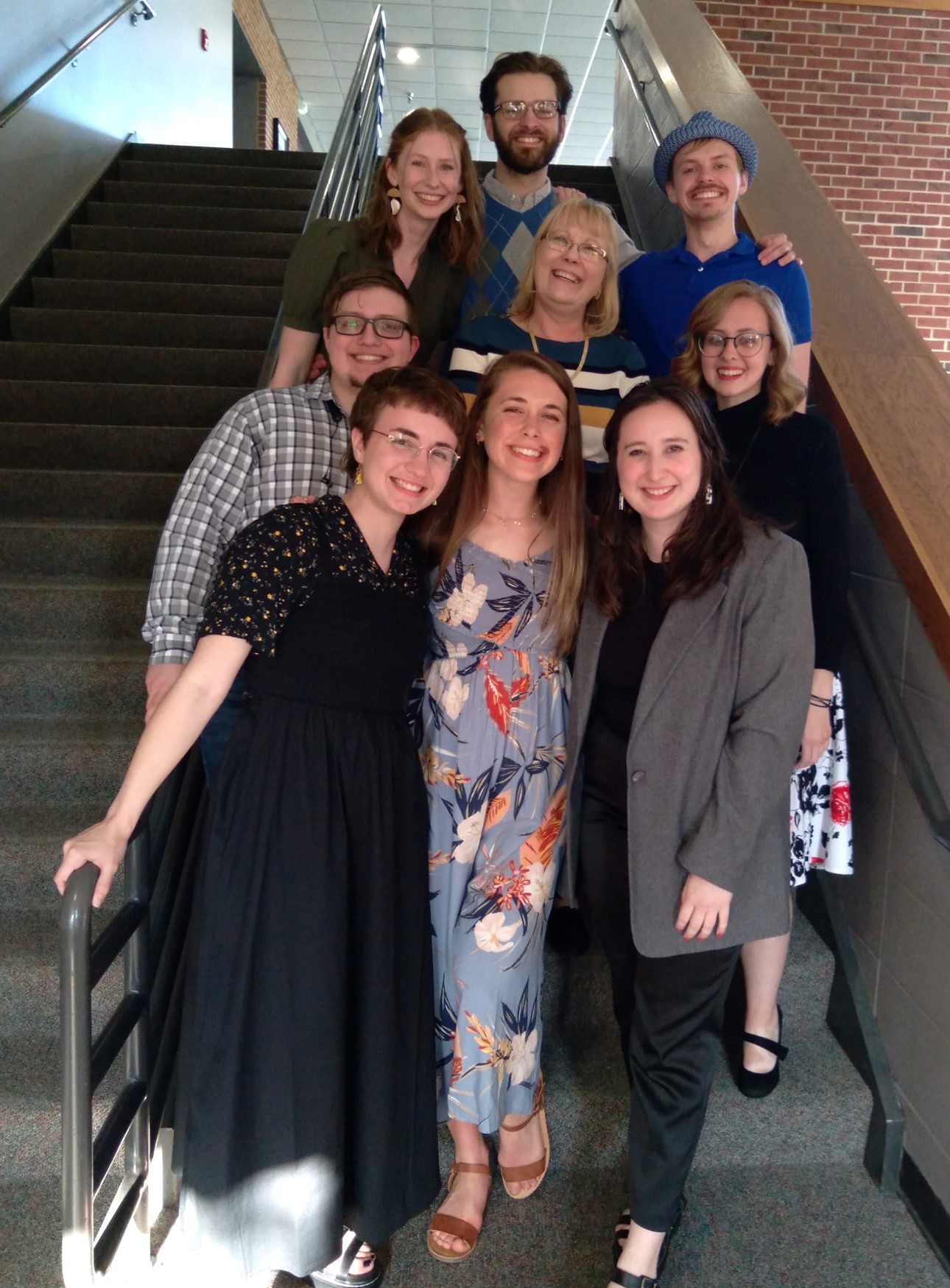
The Professional Writing 2022 seniors from Taylor University (oh, and me).

But here’s the deal. These folks are really special to me. They entered the Professional Writing program just as I was taking it over in the wake of some unexpected changes. They stuck with me. They offered thoughts and advice and encouragement as we worked to update the program to better prepare them (and future ProWrites) to successfully leave college and enter the work force.

And here’s another deal: They’re doing it! Four of them already have jobs in their field! I mean, job jobs. Jobs they have trained for. One of them is going on to graduate school for an MFA. The others are in interview processes that will land them shortly, I have no doubt.

They are ready.

I’m happy, I’m sad. I’m letting them go knowing that indeed that’s what I’m here for. To bring them in, train them as best I can, and send them on their way to whatever God has for them.

Seriously. I have the best job in the world.

Blessings to you Ellie, Kipp, Zach, Grant, Tarah, Alyssa, Katie, Lindsey. Go with God.

3 Questions for Imposter Syndrome

I feel it (almost) every day. “Imposter Syndrome.”

Defining terms:

An imposter, a fraud. Someone who pretends to be someone else in order to deceive.

A syndrome, a group of symptoms that occur together creating some kind of abnormality. Over at the U of Utah Health site, it says, “A disease usually has a defining cause, distinguishing symptoms and treatments. A syndrome, on the other hand, is a group of symptoms that might not always have a definite cause.”

Put together, one feels like a fraud because of some undefined group of symptoms with no definite cause.

The full definition, as noted by Psychology Today, is:

People who struggle with imposter syndrome believe that they are undeserving of their achievements and the high esteem in which they are, in fact, generally held. They feel that they aren’t as competent or intelligent as others might think—and that soon enough, people will discover the truth about them. 

It looks like me asking such questions:

“What am I doing teaching at a college? I never trained for this! Everyone else on faculty is so much more [academic, interesting, challenging, capable, professional, creative] than I am.”

“What am I doing writing a book about publishing? Everything has already been written. How can I possibly add anything new to the mix? All the other authors [are better writers, have deeper knowledge, have stronger writing voices, can promote their books better, are already on the circuit, are more fun to be around].”

Then basically choose any other task or role, and I’ll find a way to feel like either I shouldn’t try to do it or shouldn’t be there if I am doing it … because, you know, someone else could do it so much better.

I’m not alone. Again according to Psychology Today, 70 percent of adults may experience this at least once in their lifetime. But my imposter syndrome is less about me feeling undeserving of accolades or awards (don’t currently have any to speak of); instead, it’s more about me feeling like I’m merely acting a part and, yes, someone at some point is going to find out I’m not as competent as I pretend to be and they’ll call me out.

Photo courtesy Wikimedia Commons

Ever feel like that?

I don’t want to feel like an imposter, even as I humbly acknowledge my shortcomings in so many areas. So I’ve learned to ask myself three questions because, as a Christian, I look not just within but outside myself as well, to my heavenly Father, for help in dealing with this negative thinking and self-doubt.

(1) Did God call me to this job or give me this opportunity?

(2) Have I sensed his clear guidance and peace in pursuing it?

(3) Do I continue to sense his presence — whether things are going smoothly or not?

If I can say yes to these questions, then I can look imposter syndrome in the face and calmly explain that I am NOT a fraud. I am not perfect, I’m still learning, I’m still striving to improve, but I’m not going to let imposter syndrome cause me to do less than my best or refuse to take risks or try new opportunities. I won’t let it stifle me or God’s plan for my life.

(Well, at least I’m going to keep trying …)

What’s that verse we all love? “I can do all things through Christ who strengthens me” (Philippians 4:13, NKJV). When Christ is giving me strength to do a task he has clearly called me to, then who am I to feel like I’m just an imposter?

Have you ever been inflicted by imposter syndrome? What has helped you through it? Share in the comments!

6 Things I Learned Being an Online Prof

It’s been since March, the 18th to be exact, when our classrooms went dark, when tearful goodbyes were said (especially by seniors), when all of the faculty at Taylor University looked around at first with a sense of odd horror. Spring break had begun three days early, and that gave us about 12 days to pivot and move all our classes to an online format.

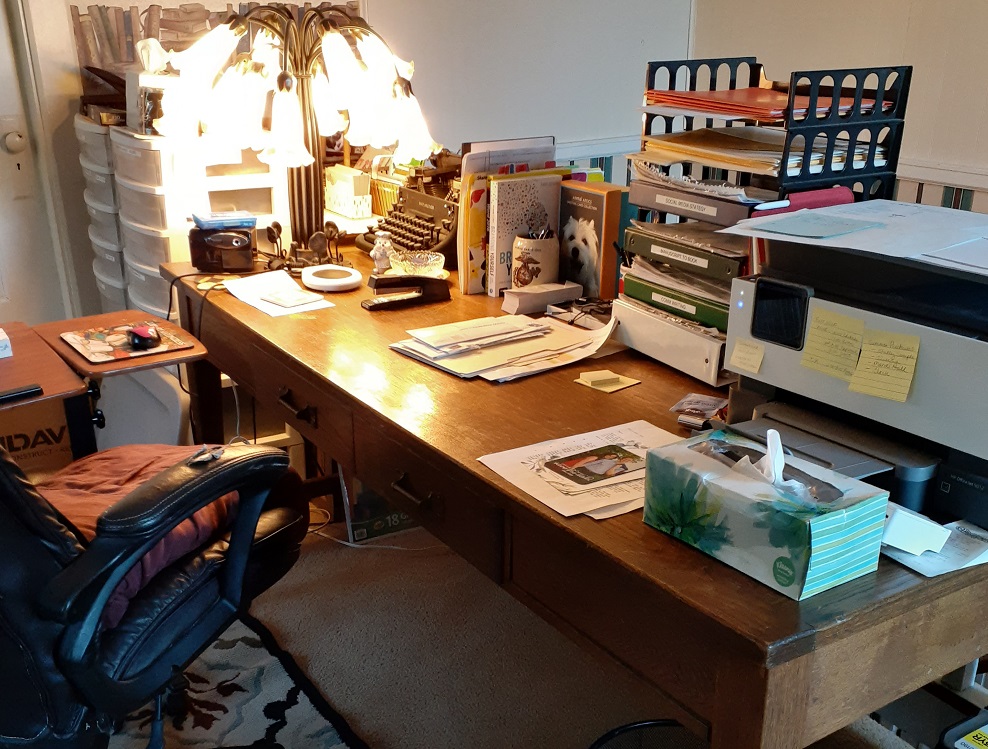
Since I live a half hour from campus and have good internet, I decided to teach from home. So I vacated as well, packing up files and books and planners. We still live in half a house, so I spent a day of spring break clearing out boxes that were stored on our upstairs landing and creating a desk space for myself. Getting physically organized helped me get emotionally and mentally organized.

desk

I have to say, by the time I posted final grades on May 26, I was exhausted. And I know I’m not alone. I know my fellow faculty and students were exhausted as well.

To all of you out there — students, parents, teachers — I salute you. This was weird, but we did it the best we could. I know it wasn’t easy; it was downright difficult.

Here are 6 things I learned about myself during this time:

1. I really do enjoy the classroom and interaction with my students — and this is a God-thing.

Ask me 15 years ago about where I’d be today, I never never never would have put myself at the front of a classroom talking for a career. I’m an introvert. I don’t talk in groups. I don’t like having attention on me. Yet here I am. God can work in mysterious ways.

2. Despite my insecurity, I can do tough things with lots of support and lots of prayer.

Even though I’ve taught online classes before, this was obviously a new challenge. Syllabi had already been carefully prepared, group projects planned, assignments set. The challenge was repurposing the rest of the semester to make sense to my students while still allowing for the learning outcomes I hoped to achieve. I started with the hoped-for outcomes and worked backward — determining how to revise assignments, changing group projects to individual ones, making the needed teaching videos, and creating benchmarks of smaller pieces to keep everyone on track in the larger assignments. Taylor worked hard to support us in every possible way, and this was an encouragement. Oh, and I prayed … a lot.

3. Sometimes difficulty forces improvement.

A few times my class adjustments showed me improvements that I want to carry into my regular classes. That’s a good thing.

4. I’m not very tech savvy, so I opted for K.I.S.S. and that was okay.

“Keep it simple, stupid” was my mantra. So many of my fellow faculty had great ideas and apps and programs they shared in our private Facebook group. After feeling overwhelmed and techno-phobic, I realized I just needed to do what I felt comfortable doing. I did have our Blackboard specialist help me learn how to record videos and share my screen so I could do some lectures. Zoom worked great, but I used it mostly for one-on-one advising appointments. The simpler, the better, which gave me a lot less stress. But at the same time …

5. I need to invest time in training to use the tools at my disposal.

Our university uses Blackboard and it’s a pretty powerful program, but I realized this spring that I’ve only scratched the surface. I struggled with grading columns and discussion boards. I’m sure I can make use of other features if I know about them. I intend to get some training this fall.

6. Nothing beats clear organization and expectations.

My students appreciated my daily checklists of assignments. Laying out each day’s work and clearly listing due dates in red helped them keep up (and, seriously, it helped me just as much). Adjusting expectations helped as well — some students had difficulty with internet reliability or broadband strength (especially if siblings were also doing school and/or parents were working); others struggled with a variety of home situations. As crazy as college life can be, there’s a schedule to everything that helps keep life on track. Judging by the fact that my students were turning in work on time (mostly) and seemed to understand what I wanted from them means I maybe did something right!

Yes, it’s over, but who’s to say when something unexpected will hit us again? I hope I learned a few things to make the next transition easier.

Whatever you’ve been doing these last couple months, what have you learned about yourself?

6 Tips for Parents to Help Their Kids Survive as Virtual College Students

Last week’s post about surviving as a virtual college student offered some basic info for many students heading home to finish their semester. I (and all my colleagues at Taylor University and teachers pretty much everywhere) have been trying to comfort students and rework courses so we can deliver the desired learning outcomes in an online format.

Then I came across a post on Facebook by Lori Heinrichs Cahill. I don’t yet know the source of this material (indeed it may be her), but it’s so helpful that I want to repost much of it. If this is coming from another source, as soon as I know if there is an origin beyond Ms. Cahill, I will happily add that source here.

And, also happily, there are … wait for it … 6 tips! The advice here is really only going to be workable if (1) your student does what I’ve suggested in the previous blog about creating a schedule and being in the school mindset, and if (2) parents and their student(s) figure this out together. Start the communication now and figure this out together now. Trust me. There will be a whole lot less stress later if you lay the groundwork now and then adjust along the way over the coming weeks.

yes

So here you go with credit to the original author (and additional comments from me in purple):

A message from a faculty member to parents of students now doing college from home:

Many of us are navigating new terrain beginning this week, so I thought I’d share a few thoughts as we move forward.

1. Your student is not home for break, and don’t treat it as such.

Your student is still carrying a full course load and class schedule. They may have a class scheduled during your normal family dinnertime. They are not going to be able to supervise younger siblings all day. They may not be available to drop off groceries for Grandma. That’s not to say they shouldn’t help with things around the house. . . . But make sure that you are making requests when they are truly available and respect their schedule.

[Author’s note: While some teachers will be allowing students to do their own work at their own pace (hence, the need for them to create a schedule that forces them to do the credit-hours-worth of work each week), some teachers will be creating a few classes that will require students to log in at the same time for a virtual class. It is going to be vital that your student be able to do this–both in terms of schedule and in terms of capability. Many Internet services are offering help during this time of great need. Check with your provider.]

2. Realize that they are under A LOT of stress.

We are entering the most stressful time of the semester with final projects, papers, and course material that is at its peak difficulty. We are asking them to navigate new online systems that they may not have used before. On top of that they have been displaced from their normal routine, their social interactions, their campus resources, etc. Many of them (especially seniors) are grieving the loss of anticipated spring performances, sporting events, and campus activities that they have been working toward all semester/year. Some of them have lost the opportunity to say goodbye to their senior friends.

3. Make sure they have the resources they need to be successful.

To the best of your ability, make sure they have a place to work where the rest of the family knows to leave them alone. Do they have the computer/Internet connection they need to do their work? Have they retrieved all of the necessary textbooks, notes, etc. from their dorm room? If that’s not feasible, have them check with their professor about online access to the text. Many publishers are providing free Ebook access during the pandemic.

4. Remember, they are not in high school anymore.

They do not need you to remind them when they have assignments due, and you don’t need to tell them when they should start studying for the next exam or writing that paper that is due tonight. They are adults and fully capable of managing their workload.

[Author’s note: But as is mentioned above, they are indeed grieving, feeling confused, and worried. We’ve been through a lot in our lives (our grandparents remember rationing during WWII, our parents remember the draft during the Vietnam War, we remember 9/11). Our kids don’t have a way to process this since they’ve never experienced anything like this. They might need a little bit of encouragement. You know your young person. Help out as needed and be available, but don’t be a helicopter parent.]

5. Just a warning, college students have really weird working and sleep schedules.

It is not uncommon for them to schedule a meeting with team members at 9 or 10 pm, and prime study time for most is after dark. Just let them do what works for them and remind them to shut the lights off when they finally do go to sleep.

[Author’s note: They may still be working on group projects that will require them to work together on some form of group communication platform (if your broadband can handle it). This may mean some late nights. Let them do what they need to do when they need to do it.]

6. Discourage them from getting together with local college and old high school friends.

. . . Reassure them that in a few weeks, when the coronavirus cases start to decline, they will be able to go out and do things with friends. For now, stay home as much as possible. And (I never thought I’d say this) encourage social interaction through the phone that’s always attached to their hands for the immediate future.

Most of all, enjoy having your kids back under your roof for a while.

Stay healthy!

P.S. Remind them to be kind to their professors. Most of us have had a week or less to completely revise our classes, assignments, and assessments to an online platform. We are using technology that we have never used or never used in this way. Many of us also have children home from college, school, or daycare — or elderly parents that we are concerned about. We will do our absolute best to provide your students with the quality education they deserve, but we will make some mistakes and some things we try are going to fall flat. Be patient, we’ll get through it together.

[Author’s note: Amen and amen.]

challenge

I’d love to hear from you. What are you doing to help make this transition work for your college student?

6 Tips for Surviving as a Virtual College Student

With the current closing and moving to online classes of many schools and universities (including mine), I’ve realized the challenge that many of my students will be facing and want to offer some pieces of advice.

(1) Remember that you’re still “in school”

As you head away from campus — whether you’re going home or elsewhere or staying on campus due to other travel restrictions — your mind will shift into “break” mode. It will take some mental gymnastics to force yourself to realize that isn’t the case. Just because you’re changing your venue doesn’t mean you’re not in school anymore.

It’s a location shift, not a vocation shift.

And since for our school, spring break begins early, and then we’re back to virtual school, then a couple days off for Easter break, and then potentially still online (if things don’t change in the next two weeks), everyone will need to mentally shift at least twice.

Tell yourself that as soon as the next “in school” date rolls around: I am not on break! Then tell yourself again after the next break when school is again on your own. I am not on break!

break

(2) Make sure you pack everything you need

At my school, the students are packing up to leave on Tuesday; I realize many of you at other schools are already gone from your campus. If you’re still in packing mode, remember that this time, you need to take all class materials. Spend a few moments at your desk thinking about what you normally carry to class each day and the materials you’ve been collecting all semester —

pack

  • textbook(s)
  • notebook
  • folder with handouts
  • study cards
  • syllabus
  • other resources

Do this for each class and pack these up to take with you.

(3) Create a schedule

It’s not going to be easy to maintain a study schedule when you don’t have to arrive at classes at certain times. Depending on how your prof sets up the online learning class, you may be on your own. If you’re required to log in at certain times, set your phone alarm to remind you. In any case, for all your classes, create a schedule and stick to it.

  • For your 3-credit classes, you’re in class for 3 hours a week and you have homework for at least that many hours.
  • Create a weekly schedule — if it helps, plan to work during the same time that you would be in class anyway. For your 9:00 class, set aside Monday-Wednesday-Friday at 9:00 and sit down to work on your class assignments.
  • If that doesn’t work or if you need to work around your family’s schedule to find quiet study time, do so, but find those needed hours somewhere.
  • Remember that you usually sat in class at that time and then did homework, so set aside another couple of hours during your week (at least) to work on those class assignments.
  • Give your family that schedule so they’ll understand your need to not be interrupted (see point #4).

(4) Find a quiet spot to work & limit distractions

Again, this is the concept of not being in “break” mode. Make your family aware that siblings can’t be interrupting nonstop; you’re trying to simulate school because you need to keep up with homework. (You may run into the same problem with interruptions at school, so whatever you do there should work at home.)

Wherever your work spot is (and it may well be the kitchen table!), you’ll need to be especially focused. Younger siblings may be home as well with their own school closings. You’re going to be tempted to do what you normally do on break, so it’s going to take focus and discipline to keep up with your classes (see points #1 and #2).

(5) Work ahead & beyond

Realize how many hours you spend on campus going to and from class, goofing off in the dorms, spending time at meals. All of that time is now yours. Don’t waste it. Now is the time to make headway on that end-of-the-year project, do some extra reading or practicing, or get a handle on that one concept that you’ve been struggling with all semester.

Use the online resources your university library offers. If you’ve not been in the habit of online research (beyond Google), now is the time to experience what your school library has to offer through their online portal.

online

(6) Keep calm

Don’t let this semester get away from you or fall apart because you’re not planning well during this enforced online learning time. This is all part of the adulting you’ll soon be doing. Life often throws curve balls, and you’ll need to adjust and keep moving.

Stay calm. Be organized. Take advantage of the opportunities these coming weeks may offer in terms of revised schedules, time with family, or extra time to do the things you already love.

See you sometime soon! (I hope!)

square